

About License Limits
When your tenant is near or over its license count, Iru shows notices in the web app. You can still edit Blueprints and use the platform. This article describes those notices and where to check license usage. For licensing questions or when you’re over your limit, use the Contact sales button in the bottom right on the Billing Page. For a high-level product summary, see Iru Overview.License Count Visibility
Open the Billing Page to compare licenses in use to your plan and spot when you’re approaching or at a limit. On a child tenant, that page states that license management is handled by the MSP admin; see MSP Billing.When You’re Near or Over Your Limit
Blueprint editingYou can edit Blueprints at any time, even when your tenant is at or over its license count.
As of March 18, 2026, Blueprint editing is no longer locked when your tenant is at or over its license count.
Iru surfaces a notice about license usage. How often it appears depends on usage:
Device Limit Exceeded
If you’re over your licensed device limit, Iru may show a dialog titled Device limit exceeded. It says you’re over your licensed limit and asks you to contact your Customer Success Manager (CSM). If the dialog looks wrong or you don’t know your CSM, select View details to open the Billing Page, then Contact sales in the bottom right to reach sales. The dialog lists affected platforms, such as Android, Mobile, macOS, and Windows. Each over-capacity row shows a warning when utilization is above 100%.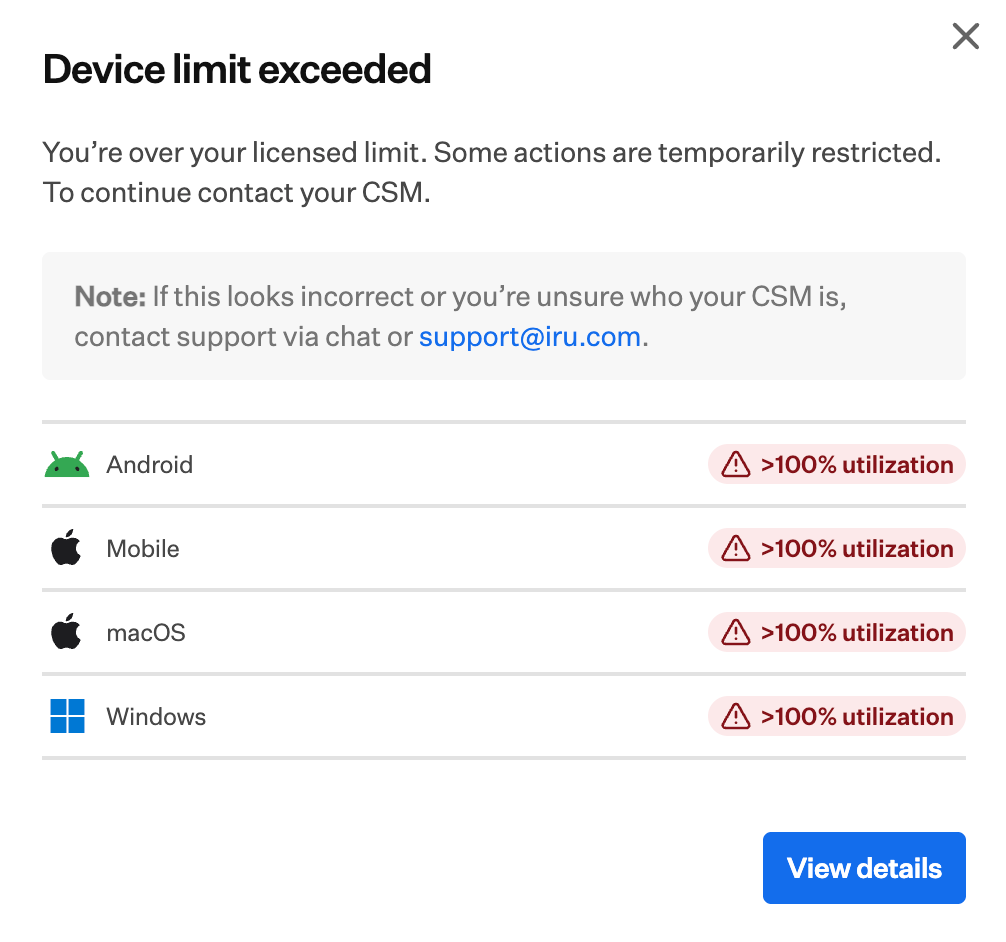
Share Feedback
To suggest changes to license limits or notifications, use feature requests.If you still need help, contact Iru Support.