

About the Billing Page
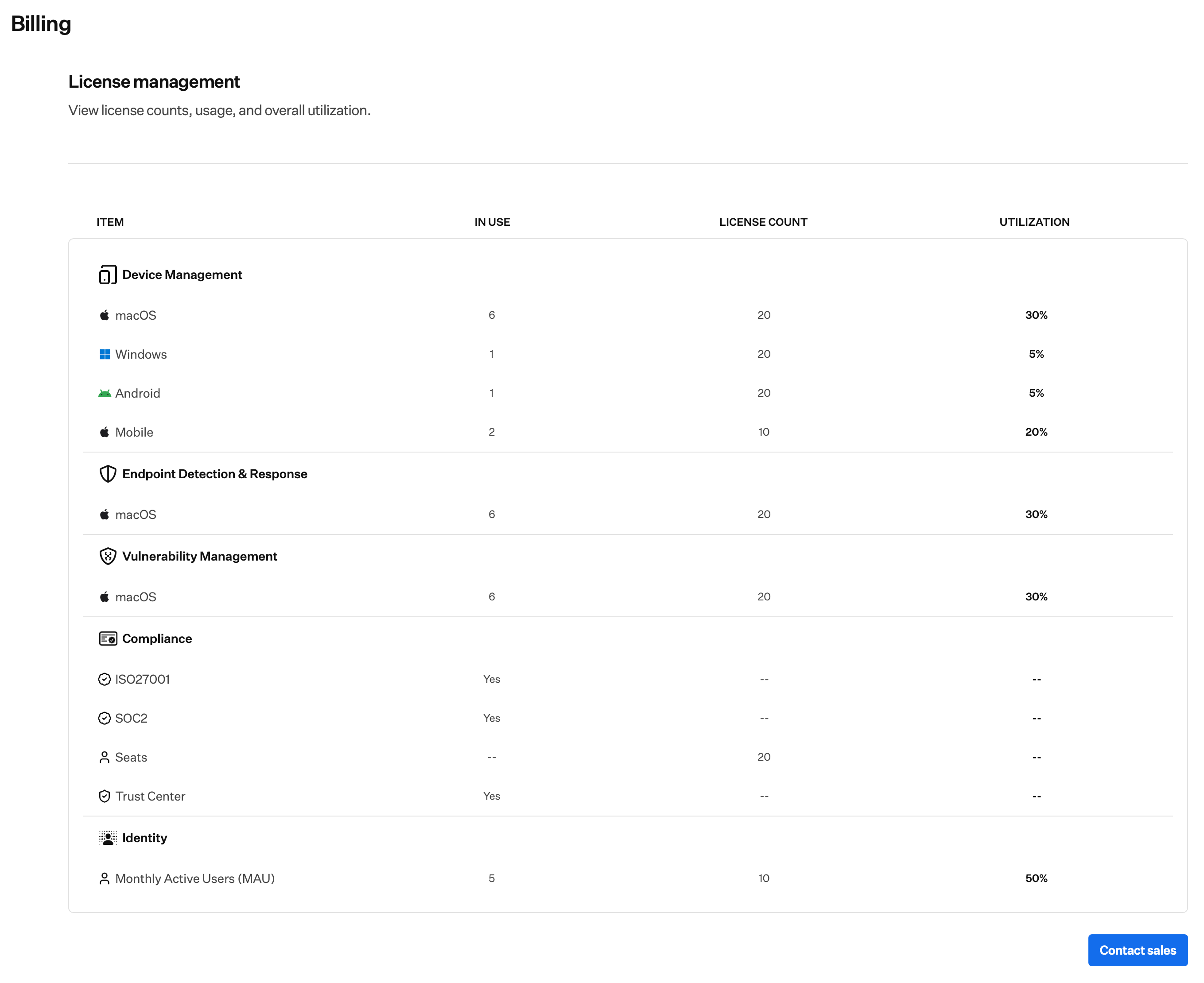
On the Billing page, you can review license counts, usage, and utilization by product. If you have questions about licensing or you’re over your limit, use the Contact sales button in the bottom right to talk to sales about more licenses or your plan. For what you’ll see in the app when you’re near or over a limit, see License Limits.How to Get to the Billing Page
1
Open Billing
In the sidebar, select the Account Menu Button, then select Billing.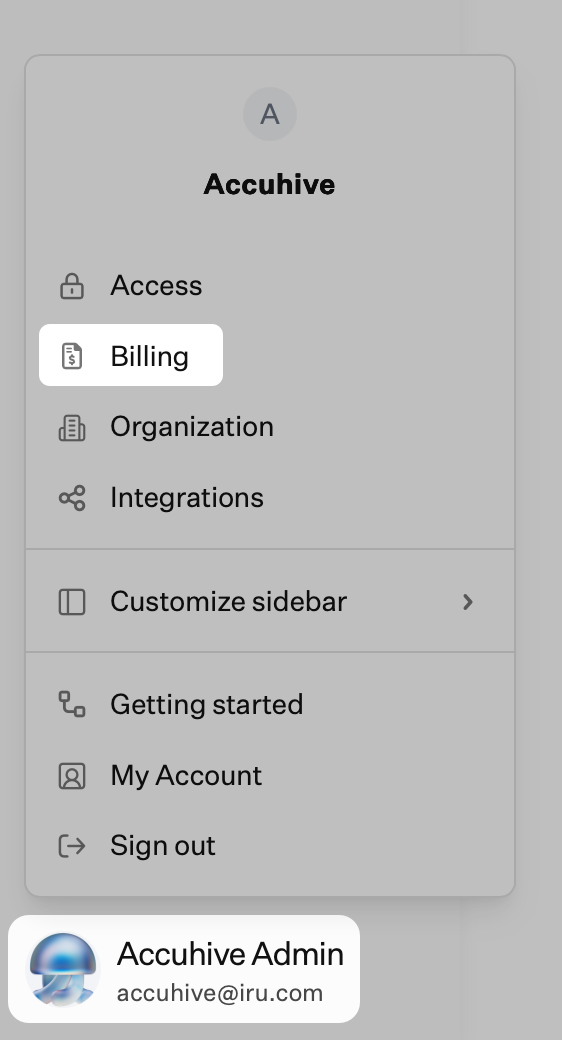
On a child tenant, the Billing page shows License management for this tenant is handled by the MSP admin. Spend, payment details, and invoices for those tenants are on MSP Billing in the parent tenant’s Partner portal.
License Management
The License management table has four columns:- Item: The product or platform row.
- In use: Licenses currently in use.
- License count: Your limit for that row.
- Utilization: How much of that limit is in use, as a percentage.
- Device Management: macOS, Windows, Android, and Mobile.
- Endpoint Detection & Response: EDR licenses by platform.
- Vulnerability Management: Vulnerability management licenses by platform.
- Compliance: Items such as ISO 27001, SOC 2, Trust Center, and Seats.
- Identity: Monthly Active Users (MAU) with in use, license count, and utilization.
Requesting More Licenses or Plan Changes
To request more licenses or change your plan, select Contact sales in the bottom right on the Billing page.1
Open Billing
In the sidebar, select the Account Menu Button, then select Billing.
2
Open Contact sales
On the Billing page, select the blue Contact sales button in the bottom right.
3
Choose products
In the Contact sales modal, select one or more products:
- Endpoint: Endpoint security and management for Apple, Windows, and Android devices: Endpoint Management, Endpoint Detection & Response, Vulnerability Management.
- Identity: Workforce identity and access management: Workforce Identity.
- Compliance: AI-native compliance automation: Compliance Automation, Customer Trust.
4
Submit
Select Submit to send your request. The sales team will follow up.
If you still need help, contact Iru Support.