

Your managed devices, configurations, and data stay with you through the upgrade.
As part of our transition to Iru, Kandji is deprecated. The deadline to upgrade is December 1, 2026.
Iru Brand Update
Logo, app names, and branding on managed devices.
Iru Navigation and Interface
Web app navigation, tenant domain, and relocated pages.
Before you upgrade
Complete these steps before you start the upgrade. Standard Authentication is the recommended sign-in method so you can finish the upgrade without getting locked out of the tenant. During the upgrade, Standard Authentication is converted to a passkey. After the upgrade is complete, you can configure and test other sign-in methods without losing access.During the upgrade process, if you get locked out or have any issues, contact Iru Support immediately for assistance.
1
Enable Standard Authentication
Skip this step if Standard Authentication is already enabled.
- In the Kandji web app, navigate to Settings.
- Select the Access tab and find the Authentication section.
- Select the ellipsis next to Standard Authentication.
- Select Enable.
- In the confirmation modal, select Enable.
2
Log out of your Kandji tenant
Log out of your Kandji tenant.
3
Sign in with username and password
Sign in to your Kandji tenant with your username and password. Do not use social login or another SSO option.
4
Set up MFA
Skip this step if you already configured multifactor authentication (MFA) for Standard Authentication.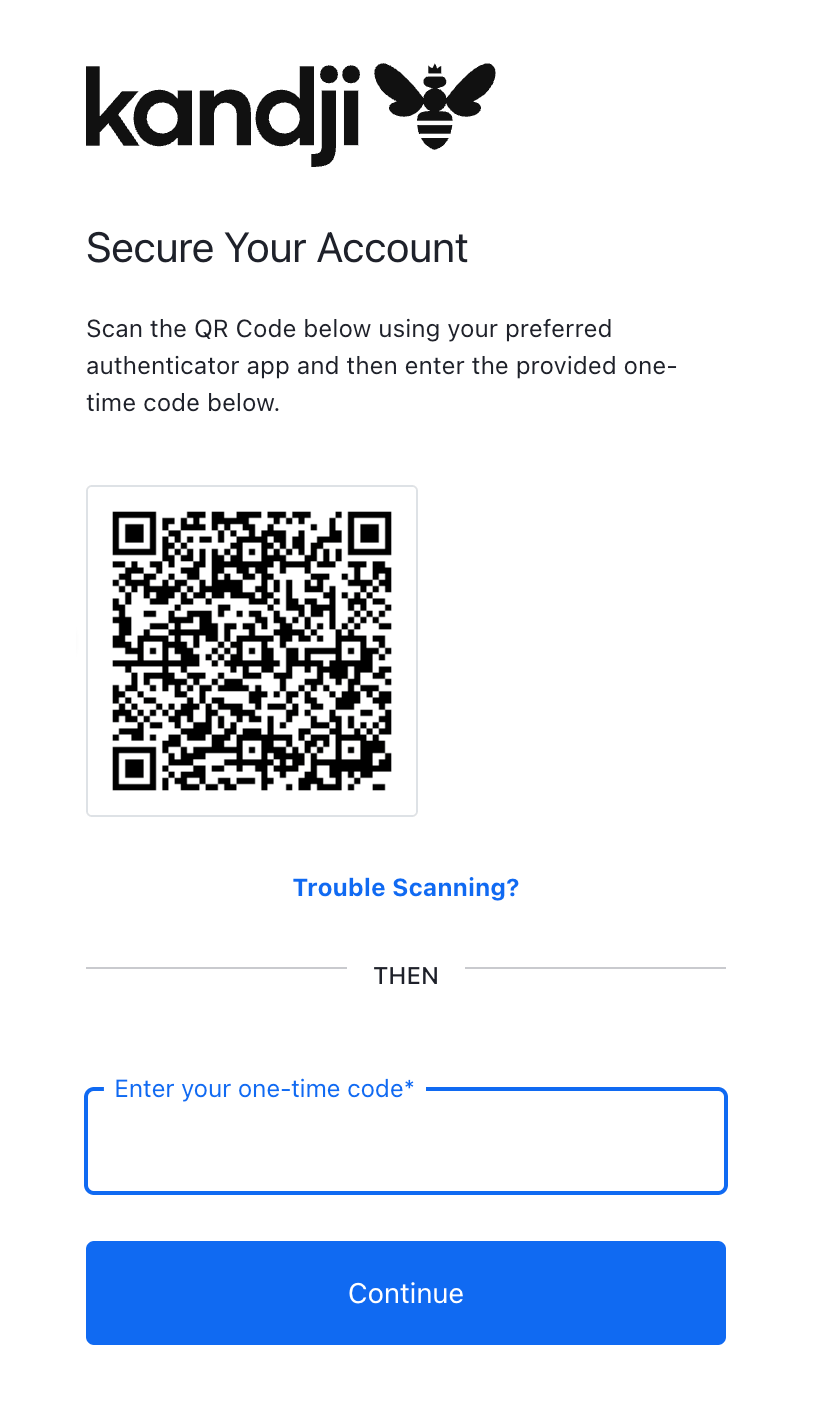
- When prompted, scan the registration QR code with a time-based one-time password (TOTP) app, such as Apple Passwords or Google Authenticator.
- Enter the TOTP code shown in the app.
- Select Continue.
- Copy your Recovery Code and store it in a safe place.
- Select the I have safely recorded this code checkbox.
- Select Continue.
5
Continue with Start Upgrade
Continue with Start Upgrade.
Complete the upgrade
These steps walk you through reviewing and reconfiguring your authentication connections, then completing the migration. After it finishes, all active sessions in the Kandji web app will end, including your own, and you will need to re-authenticate with your new configuration. Sign in at your Iru domain,{{subdomain}}.iru.com.
1
Start the Upgrade
When you log in to the Kandji web app, select Settings in the left navigation, then select Access. You will see a card prompting you to upgrade to unified authentication. Select Start migration to begin.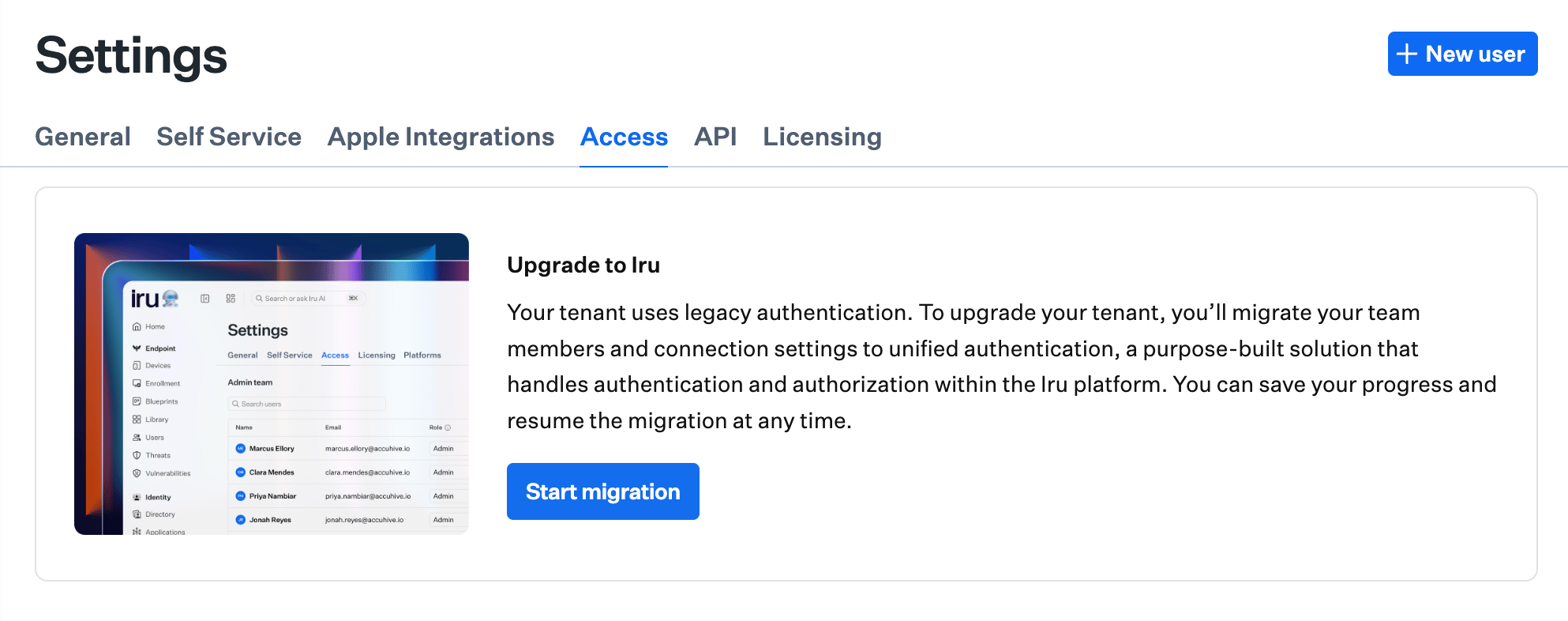
2
Review Your Connections
If Standard Authentication is not listed as Active in the migration mapping, return to Before you upgrade and complete those steps first.Look over your current authentication setup and configure replacements for SAML, Google, and Microsoft connections. Follow the Iru Single Sign-On guides for each connection type. Some configuration details have changed, so you cannot reuse how you configured the connection in Kandji.
3
Set Up Passkeys
The migration converts Standard Authentication to a passkey, which replaces your username, password, and MFA. Register a passkey and save it where you can retrieve it when you sign in after the upgrade. Send passkey invitations to other administrators who also use Standard Authentication. For more information, see Passkeys and Social Login.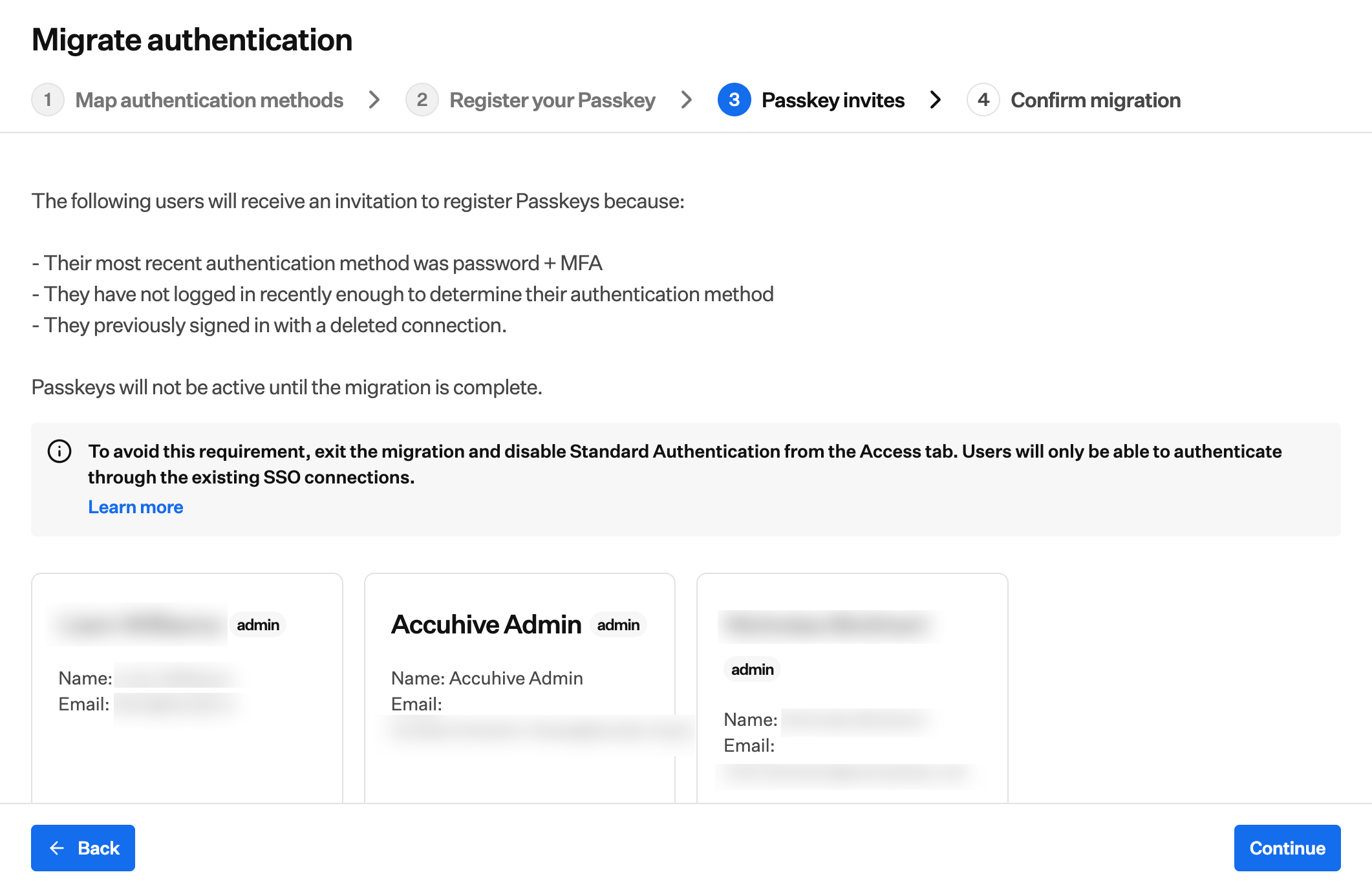
4
Select Back to make changes
You can select Back at any time during the upgrade to return to a previous step and make changes.
5
Select Continue
When finished, select Continue to proceed.
6
Confirm and Complete
Review your settings and select Make changes if needed. When the settings are correct, check the box to confirm, then select Complete migration to finish the upgrade.
7
Re-authenticate
When the upgrade is complete, all logged-in administrators will be signed out of Kandji and need to re-authenticate with your new configuration. Log in using your new Iru domain at
{{subdomain}}.iru.com.If you go to your old Kandji URL ({{subdomain}}.kandji.io), you will see a Your tenant has been migrated to Iru screen. Select Login to Iru to continue to your Iru domain.If you followed Before you upgrade, sign in with the passkey you created and saved during the migration from Standard Authentication. That passkey replaces your username, password, and MFA.The process typically takes just a few minutes, depending on your identity provider and the number of connections.
8
Test other sign-in methods
After you sign in with your passkey, you can log out and test the other sign-in methods you configured. If a method fails, sign back in with your passkey, update the configuration in Access (Account Menu Button → Access), and test again. See SSO Setup and Passkeys and Social Login.
9
Migrate Active Directory Certificate Services (if configured)
If you used Active Directory Certificate Services (AD CS) in Kandji, the tenant upgrade does not replace the legacy AD CS Connector on your Windows Server. After you sign in to Iru Endpoint, uninstall that Connector on the server, install the updated Connector from your Iru tenant, and complete registration approval. Follow Migrating from Kandji to Iru with AD CS in AD CS Integration: Overview for the full workflow, including when the integration may still show Connected until you remove the legacy package.
Frequently Asked Questions
When do I need to upgrade?
When do I need to upgrade?
The deadline to upgrade is December 1, 2026. The upgrade process is available in Settings > Access when you log in to the Kandji web app. Follow the steps above to complete the upgrade.
How long does the upgrade take?
How long does the upgrade take?
The upgrade process typically takes just a few minutes, depending on your identity provider and the number of connections.
Will this affect my end users?
Will this affect my end users?
End users do not need to take any action. They will notice a slightly updated sign-in experience during device enrollment and the new enrollment portal domain (
{{subdomain}}.iru.com/enroll instead of {{subdomain}}.kandji.io/enroll).What if I need help with the upgrade?
What if I need help with the upgrade?
Email support@iru.com or contact Iru Support if you need help with the upgrade process or have questions.
Can I test the new authentication before fully upgrading?
Can I test the new authentication before fully upgrading?
The upgrade process includes a review step where you can confirm your settings before completing the transition.
Related Articles
After you sign in to Iru, use these articles to see what looks different, where settings and pages moved, and how to finish authentication setup for any additional SSO connections you need.Iru Brand Update
Logo, app names, and branding on managed devices.
Iru Navigation and Interface
Web app navigation, tenant domain, and relocated pages.
Account Menu
Tenant-wide settings, including Access, at the bottom of the sidebar.
SSO Setup
Set up single sign-on for your tenant after the upgrade.
Single Sign-On
Iru SSO connection guides for Google, Microsoft, Okta, and other identity providers.
Passkeys & Social Login
Passkeys, social login, and authenticator management.