

About Inviting Team Members
New members of the Admin Team can be invited under Access (Account Menu Button → Access). This allows you to grant access to other administrators who can help manage your Iru environment. User creation and team member changes are recorded on the Unified Activity.How to Invite New Team Members
To invite one team member at a time, use the steps below. To invite several administrators from a spreadsheet, see Import Administrators via CSV.1
Open Access
In the sidebar, select the Account Menu Button, then select Access.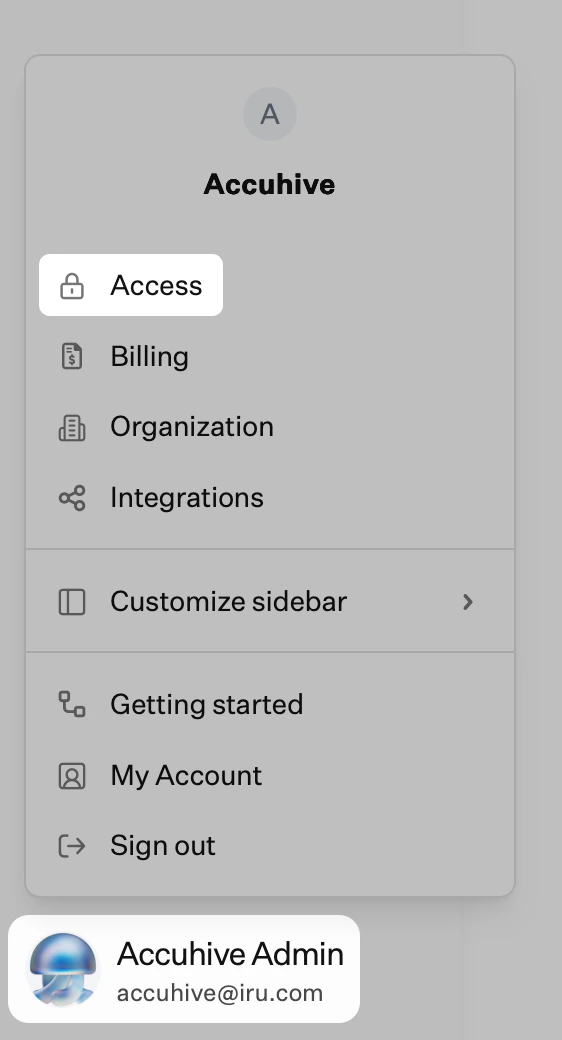
2
Start New User Invitation
Select New user on the top right of the Access page.
3
Complete User Information
Fill in the required user information fields and choose an appropriate access level for the new team member.
4
Submit Invitation
Select Submit to send the invitation.
How to Resend Invitations
If an invitation has expired, you can resend the invitation under Access (Account Menu Button → Access).1
Open Access
In the sidebar, select the Account Menu Button, then select Access.
2
Resend Invitation
Select Resend invite next to the user who needs a new invitation.