This guide applies to Mac computers
About FileVault & Recovery Keys
FileVault is a built-in feature of macOS that encrypts the boot drive. During setup, FileVault generates a Recovery Key, allowing an additional method of access to the drive should all FileVault enabled users’ passwords be forgotten.- Learn more about how FileVault secures your Mac devices and changes login behavior
- Learn how to use the FileVault Recovery Key to reset a user’s password
- Learn about the User Experience with FileVault
About the FileVault Library Item
The FileVault 2 Library Item enforces all enrolled macOS devices to enable FileVault disk encryption. Mac devices will be prompted to complete FileVault setup upon restart. To add this Library Item to your Iru Endpoint Library, follow the steps outlined in the Library Overview article.FileVault Configuration Options
Configure FileVault using the steps below. Enforcement and user experience are part of the same flow as the Library Item settings.1
FileVault enforcement
Use the FileVault enforcement drop-down to choose:
- Enforce immediately upon next login (Recommended): FileVault is required at the next login. The Enforce during Setup Assistant for Automated Device Enrollment option appears when this is selected.
- Allow user deferral before enforcing (Not Recommended): The Prompt for restart if FileVault is not enabled option is hidden; a User Deferral drop-down appears instead so you can select how many login attempts are allowed before FileVault is enabled.
2
Enforce during Setup Assistant for Automated Device Enrollment (macOS 14+)
Recommended: Check this option to attempt to enforce FileVault during Setup Assistant for devices that enroll using Automated Device Enrollment.This selection ignores a FileVault skip screen setting in the Automated Device Enrollment Library item. See Enforcement and user experience during Setup Assistant for the full end-user flow and screenshots.
3
Prompt for restart if FileVault is not enabled
Check this option to configure forcibly restarting the Mac or reminding the end user to restart to enforce FileVault encryption. When enabled, set Prompt type (e.g., Force a restart after, or Remind to restart every…) and Force after (e.g., 30 minutes) as needed.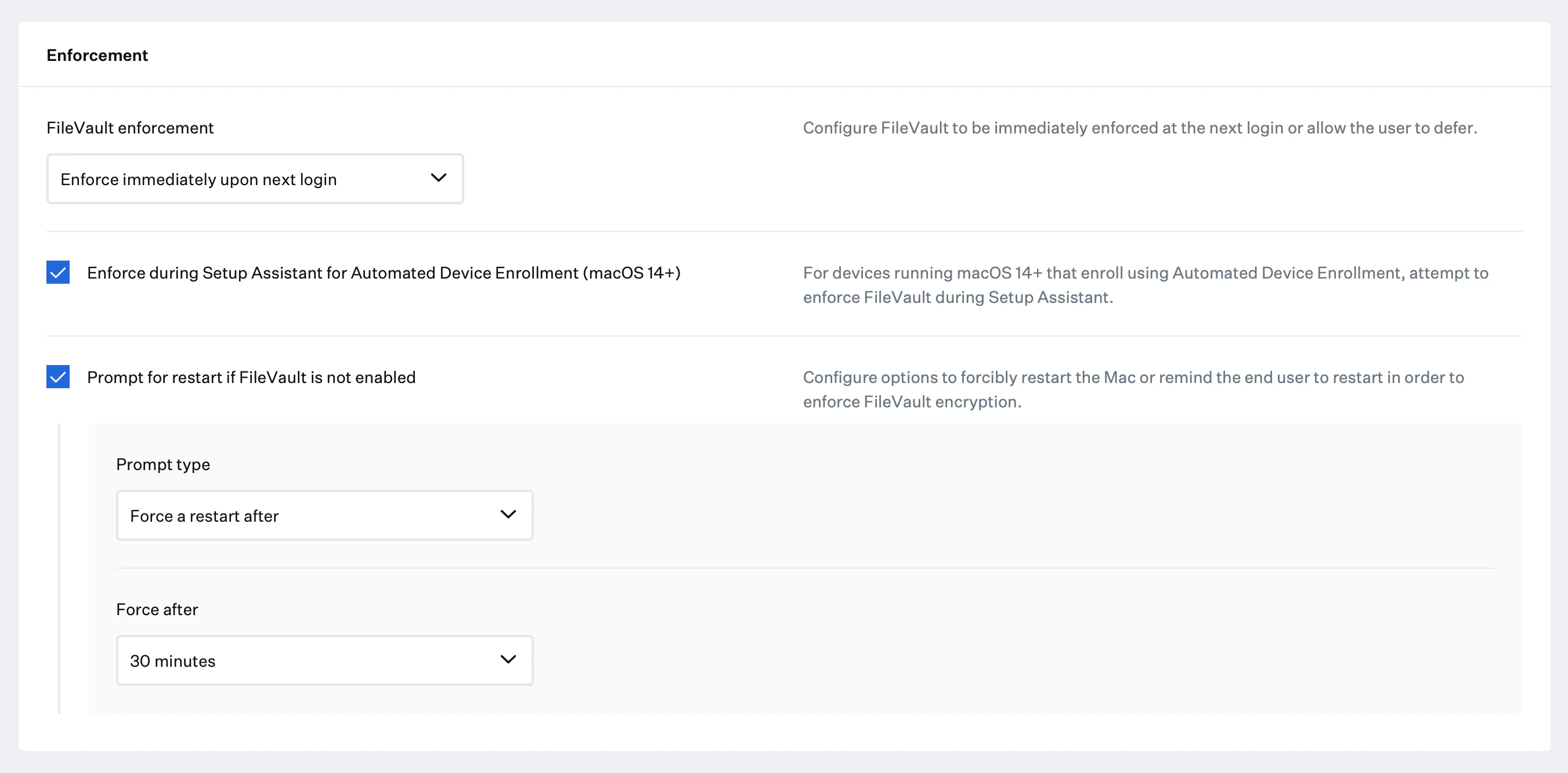
4
Show user the FileVault recovery key when it is generated
By default, the FileVault recovery key is shown to the end user when the recovery key is created or regenerated. A common security practice is to not show the recovery key to the end user and allow team members to view the escrowed recovery key in Iru Endpoint.
5
Escrow recovery keys to Iru Endpoint
This option sends the recovery key to Iru Endpoint where it can be viewed by team members. If FileVault is currently enabled, this option will cause the Iru Endpoint agent to prompt the user for authentication before regenerating the recovery key.
6
Automatically rotate keys
Check this option to automatically rotate the recovery key on a regular schedule. When enabled, set Rotate keys after they are escrowed to Iru Endpoint in to the desired period (for example, 90 days). Iru Endpoint uses the RotateFileVaultKey MDM command to rotate the key.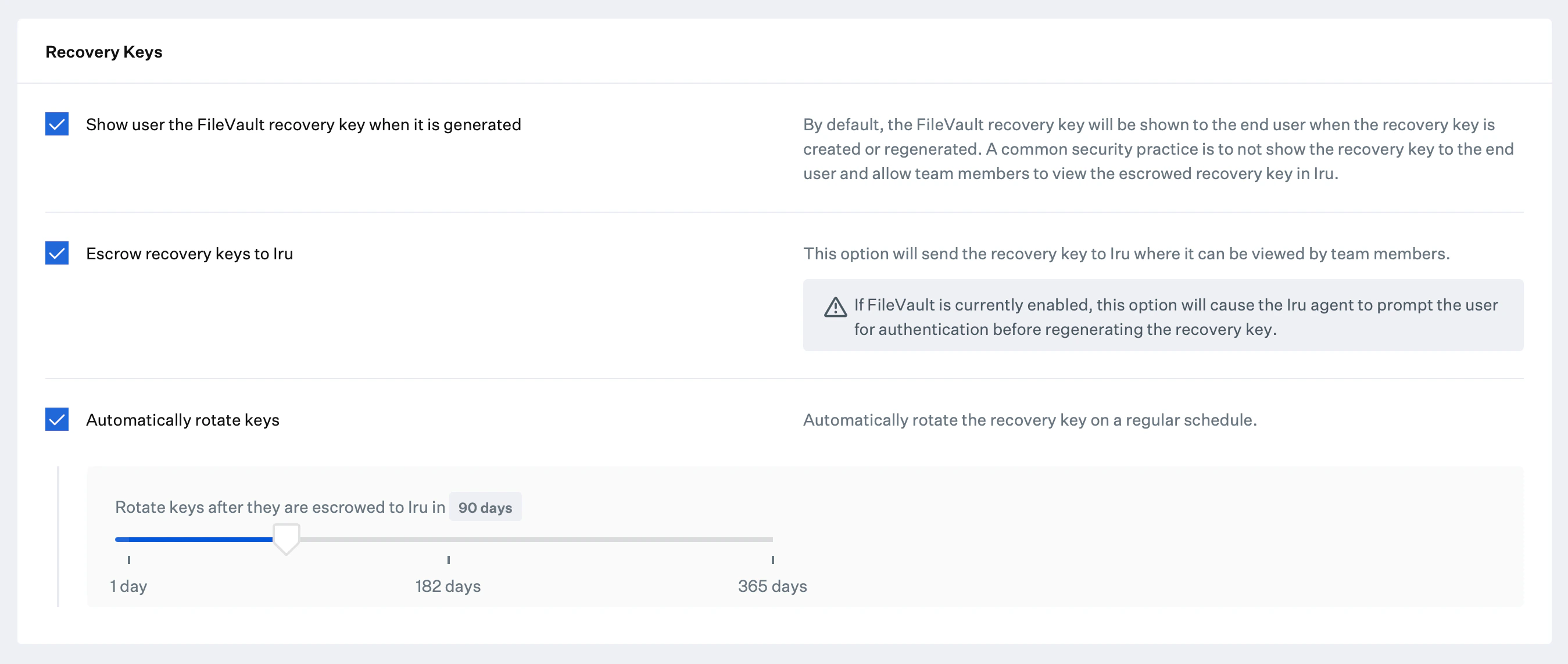
Enforcement and user experience during Setup Assistant
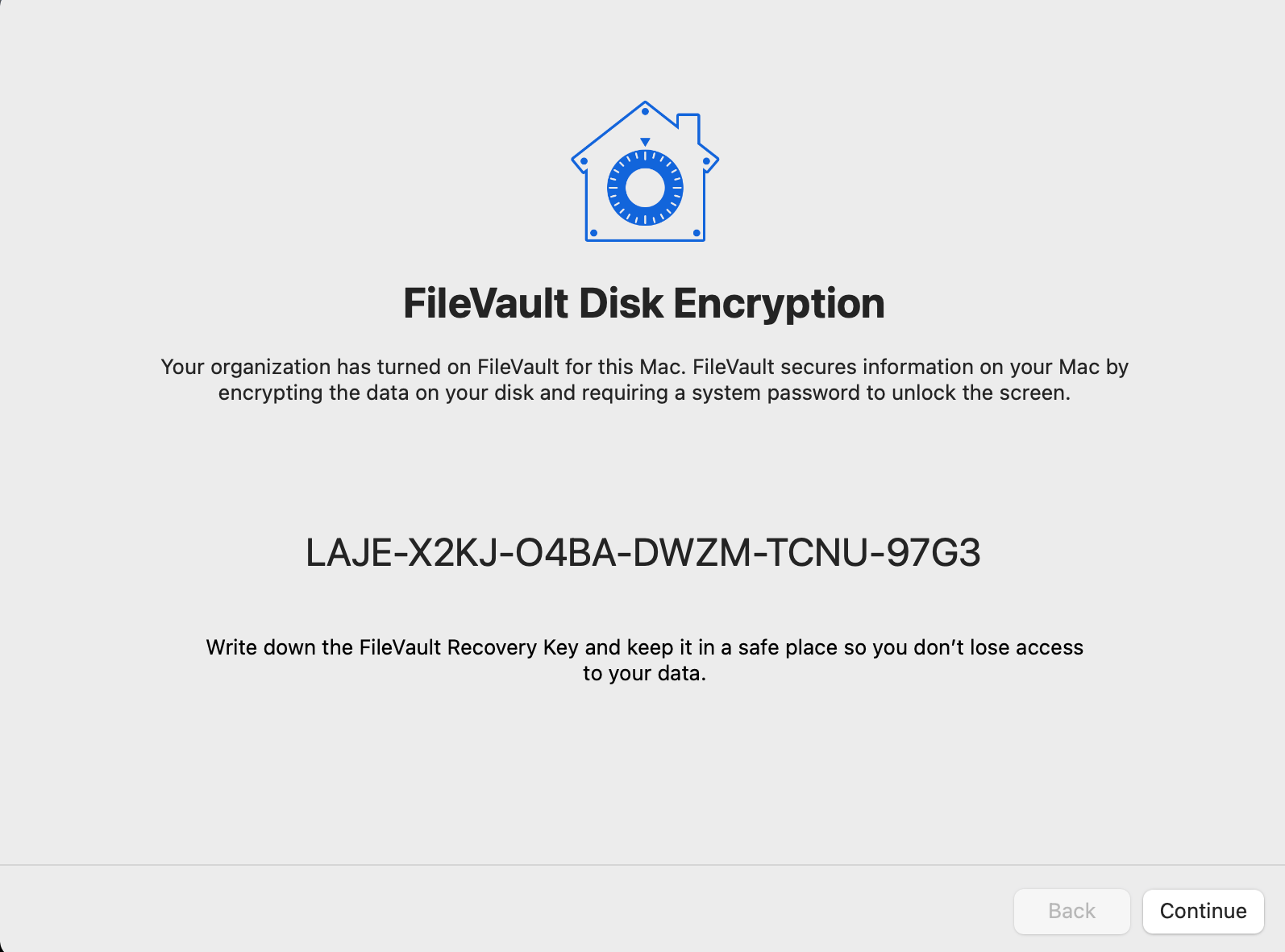
When you enable Enforce during Setup Assistant for Automated Device Enrollment (macOS 14+), Iru Endpoint attempts to enforce FileVault during Setup Assistant for devices that enroll using Automated Device Enrollment. This selection ignores a FileVault skip screen setting in the Automated Device Enrollment Library item. The end user first sees a FileVault Disk Encryption dialog: the organization has enabled FileVault for the Mac, and the user can turn on FileVault disk encryption and select Continue to encrypt the disk (no restart required). A Skip option may appear depending on configuration.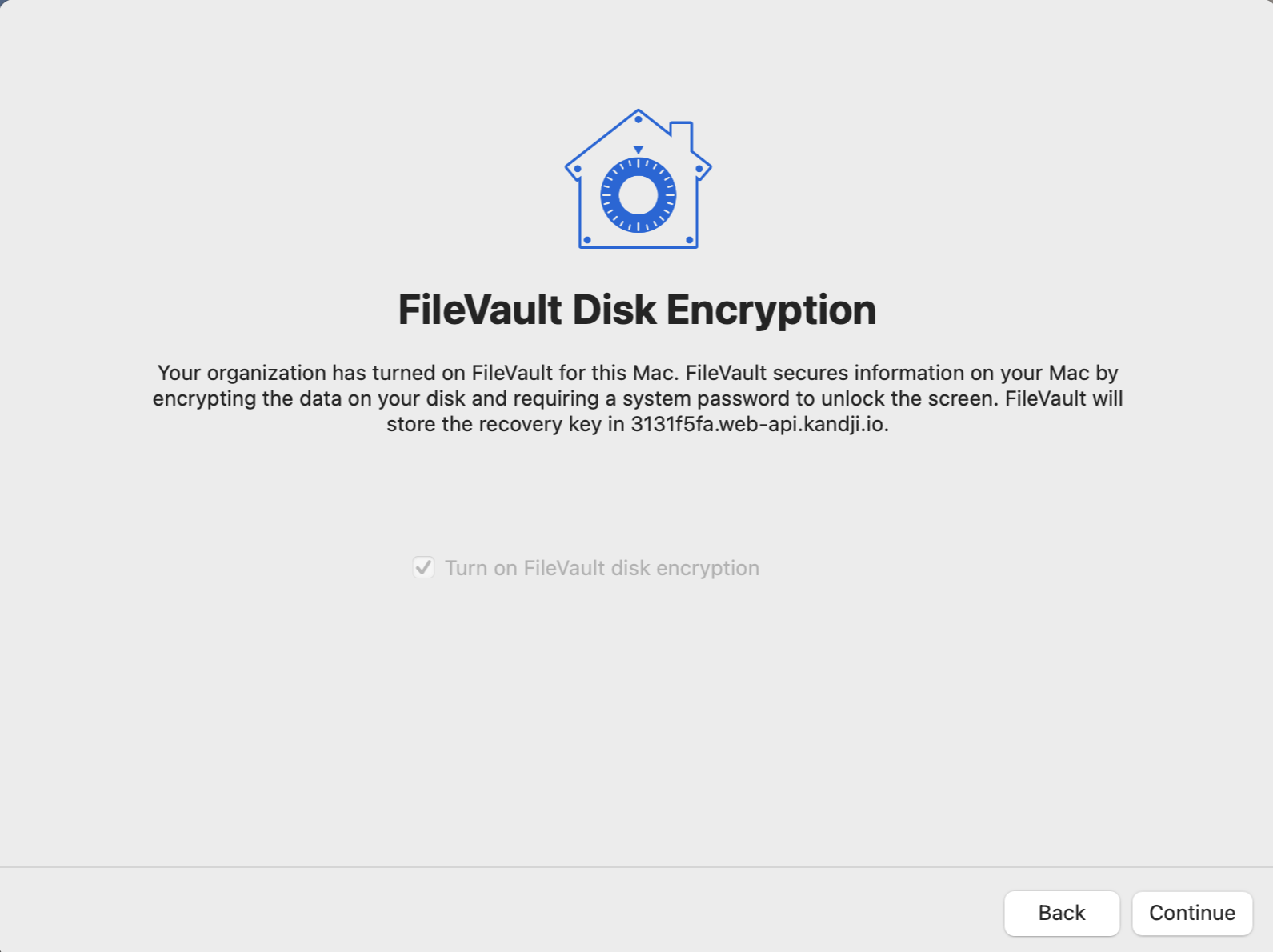
View FileVault Recovery Keys
1
Navigate to Device Record
Navigate to the Device Record.
2
Access Device Action Menu
Select the Device Action Menu.
3
View Recovery Key
Select View FileVault2 recovery key.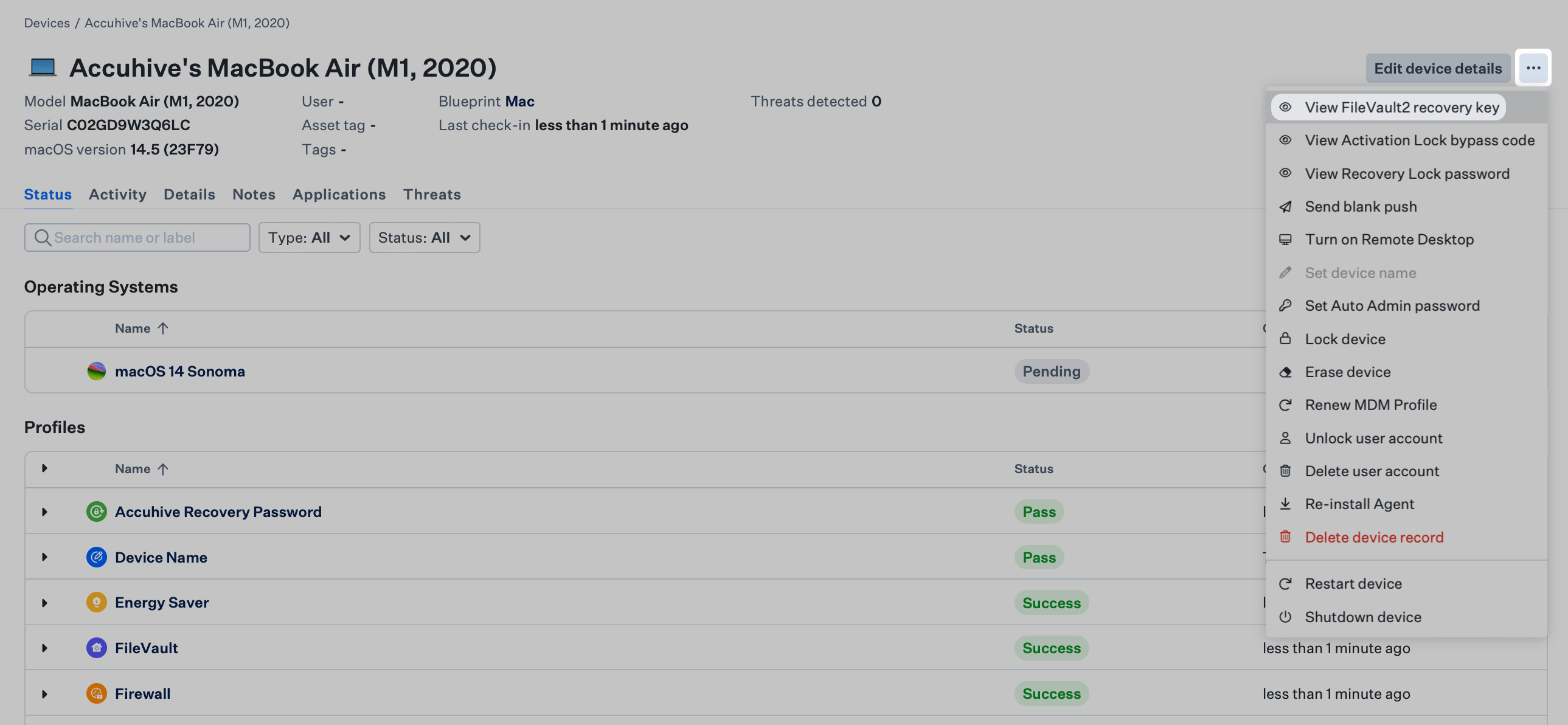
Terminal
Parameter: Report user accounts with FileVault Recovery Keys escrowed to iCloud
macOS allows users to store recovery keys with their Apple Account through iCloud. This is not recommended for enterprise-owned Mac computers because an unknown party may be able to retrieve the keys. Use this parameter to receive an alert when a recovery key is stored in iCloud. The alert reminds you to work with the user to remove the recovery key from their account.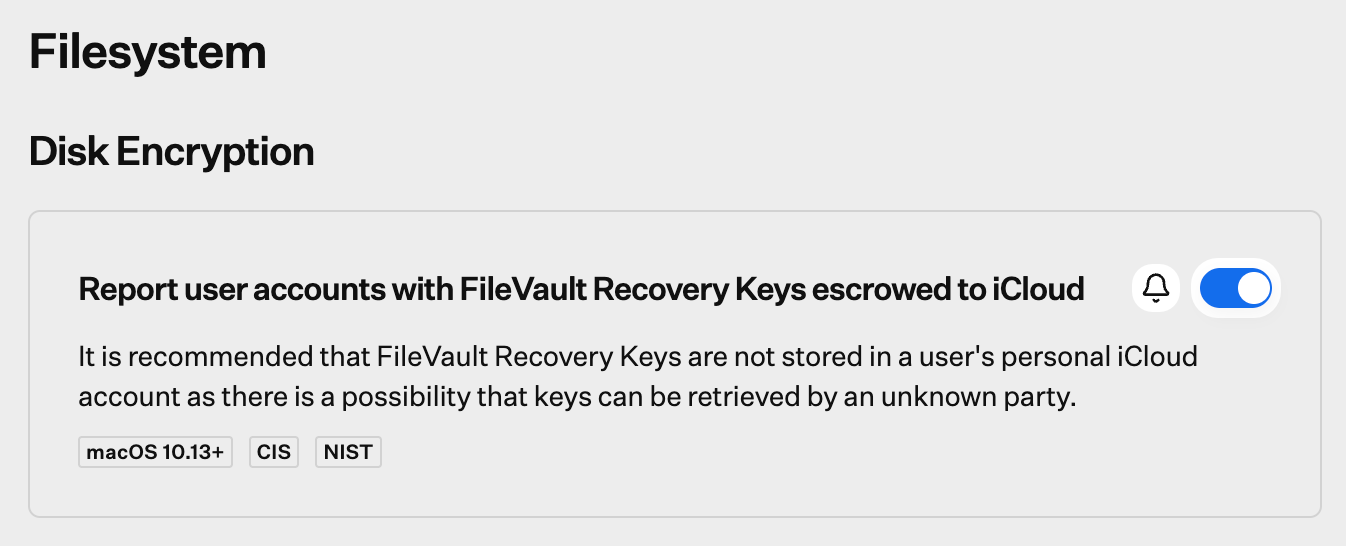
Encryption Status
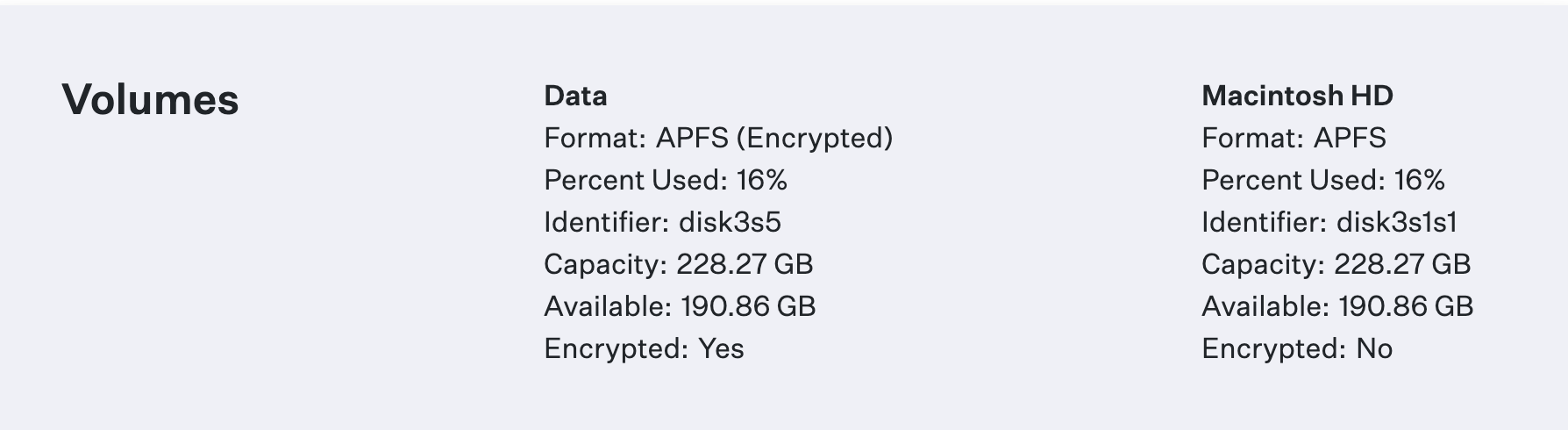
With APFS volumes, only the Data volumes will show as Encrypted: Yes in the Volumes section of the Device Details. This is expected behavior.