

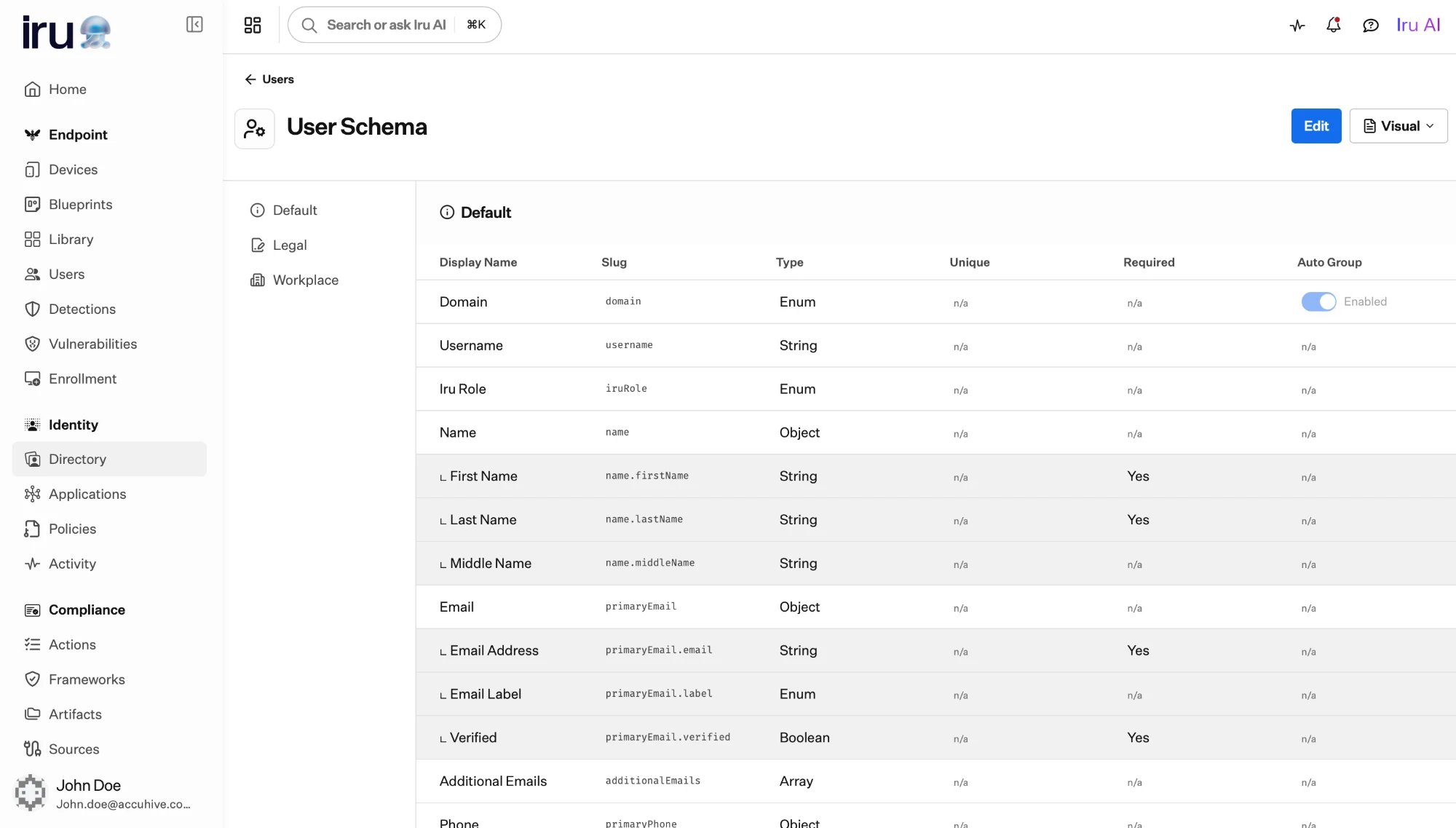
The User Schema editor: built-in and custom attributes with their slug, type, and flags, grouped into categories.
Built-in fields
Every profile includes a set of built-in facets you don’t have to define:- Name, used to build the user’s display name.
- Emails, phone numbers, and addresses, each entry carrying a label such as work or personal.
- A username and domain that together form the sign-in identifier.
- A role, a status, and a source. The role applies across Iru products, not only Identity.
Supporting more than one email domain. The domain a user can have comes
from a fixed list of allowed values on the built-in domain field. If your
organization uses several domains (for example
example.com and example.io),
add each one to that list in the schema; only domains defined there can be
chosen when you create or import a user.Custom attributes
A custom attribute adds a field to every user profile. When you create one, you give it: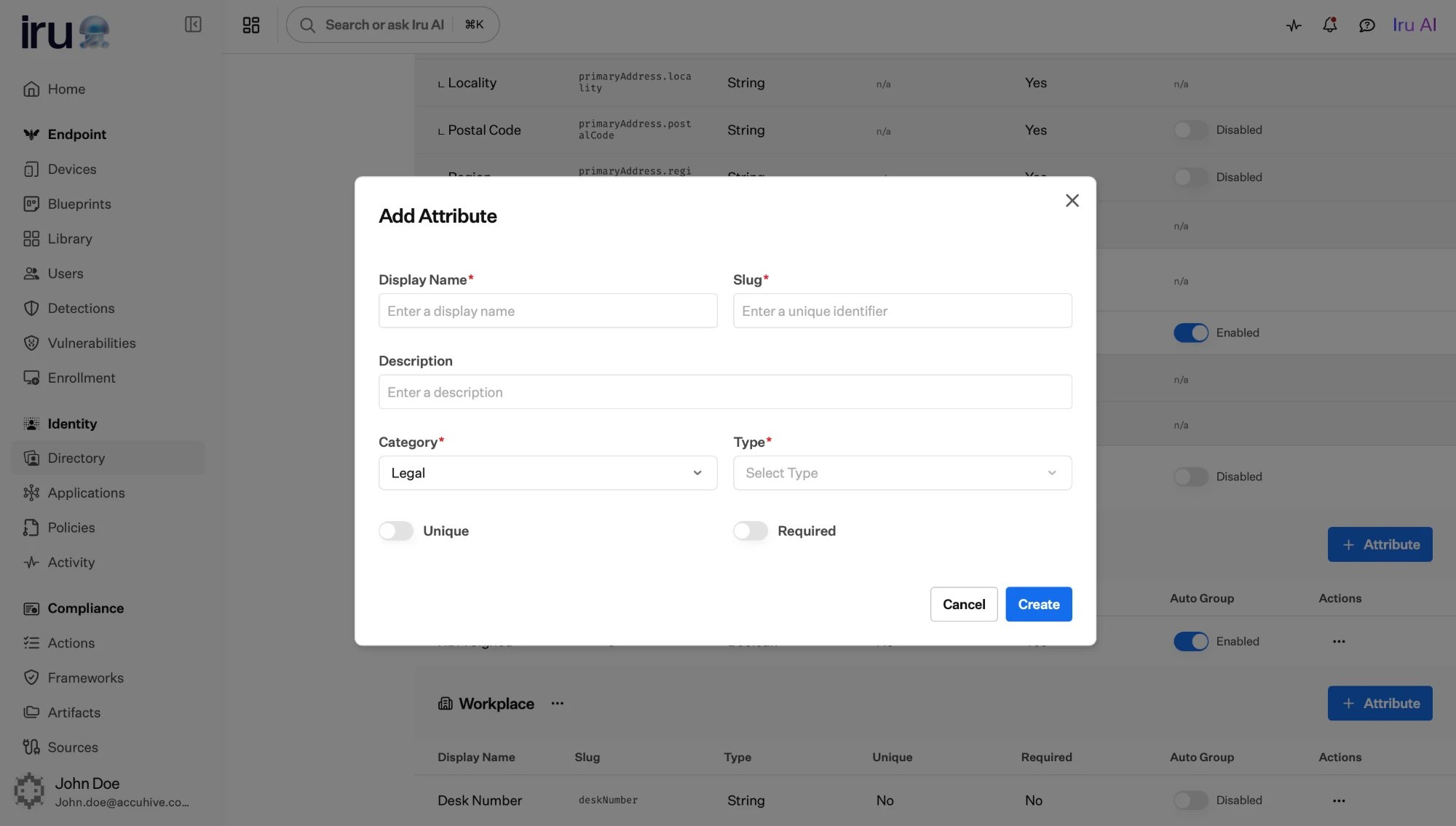
Adding a custom attribute.
Choose required and unique deliberately. A required attribute must be
present on every user, including those created by import or HR sync, so a
record without it will fail to save. A unique attribute is a good fit for
identifiers like an employee number.
Attribute types
When you add a custom attribute, you choose one of these types for the value it holds:A type is chosen when you create the attribute and can’t be changed later.
Unique is not available for Boolean or Enumeration attributes, whose
values are meant to repeat across users. A Binary value is stored as base64
and isn’t size-limited, so use it for small values such as a token or key,
not large files.
Attributes with a fixed set of choices
Some attributes should only accept values from a known list (a department, a location, an employment type. For these, give the attribute a fixed list of allowed values (enumeration options). Each option has its own display name and identifier. Fixed-choice attributes are especially useful because they pair naturally with Auto Groups: each allowed value can become its own group, with membership computed automatically.Categories
Attributes are organized into categories, the named sections a profile is grouped into, such as “Employment” or “Contact.” Each category has a display name, an icon, and a position that controls its order on the profile. Grouping related attributes keeps long profiles readable and makes the schema easier to maintain.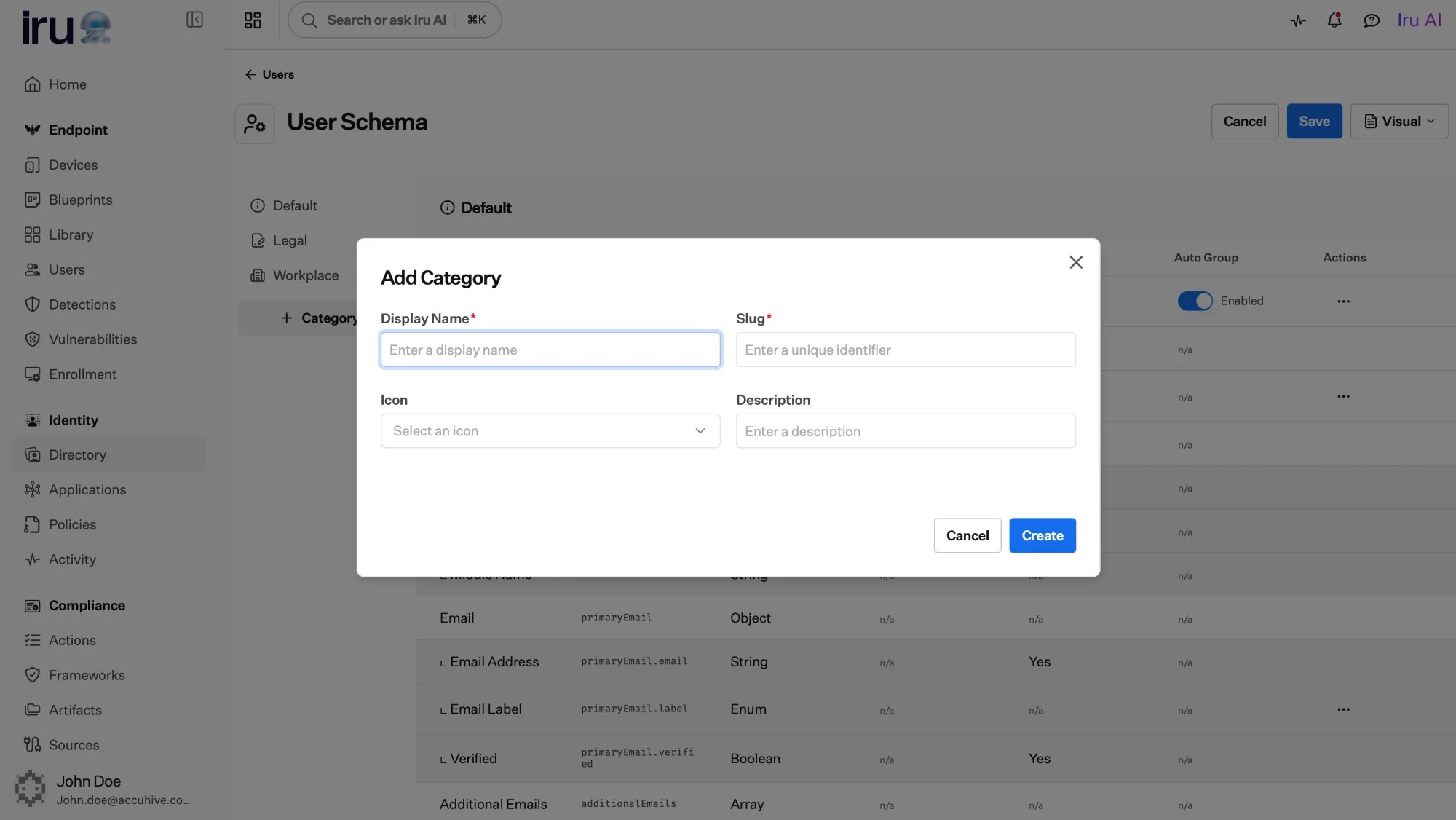
Adding a category.
How attributes are used
Drive Auto Groups
Flag an attribute to power Auto Groups, and Iru turns its values into
groups whose membership updates as profiles change.
Map into applications
Applications map profile attributes into the assertion or token they
receive, so each app gets the identity details it expects.
Next steps
Build Auto Groups
Turn an attribute into groups that maintain themselves.
Manage users
See attributes in action on individual profiles.