

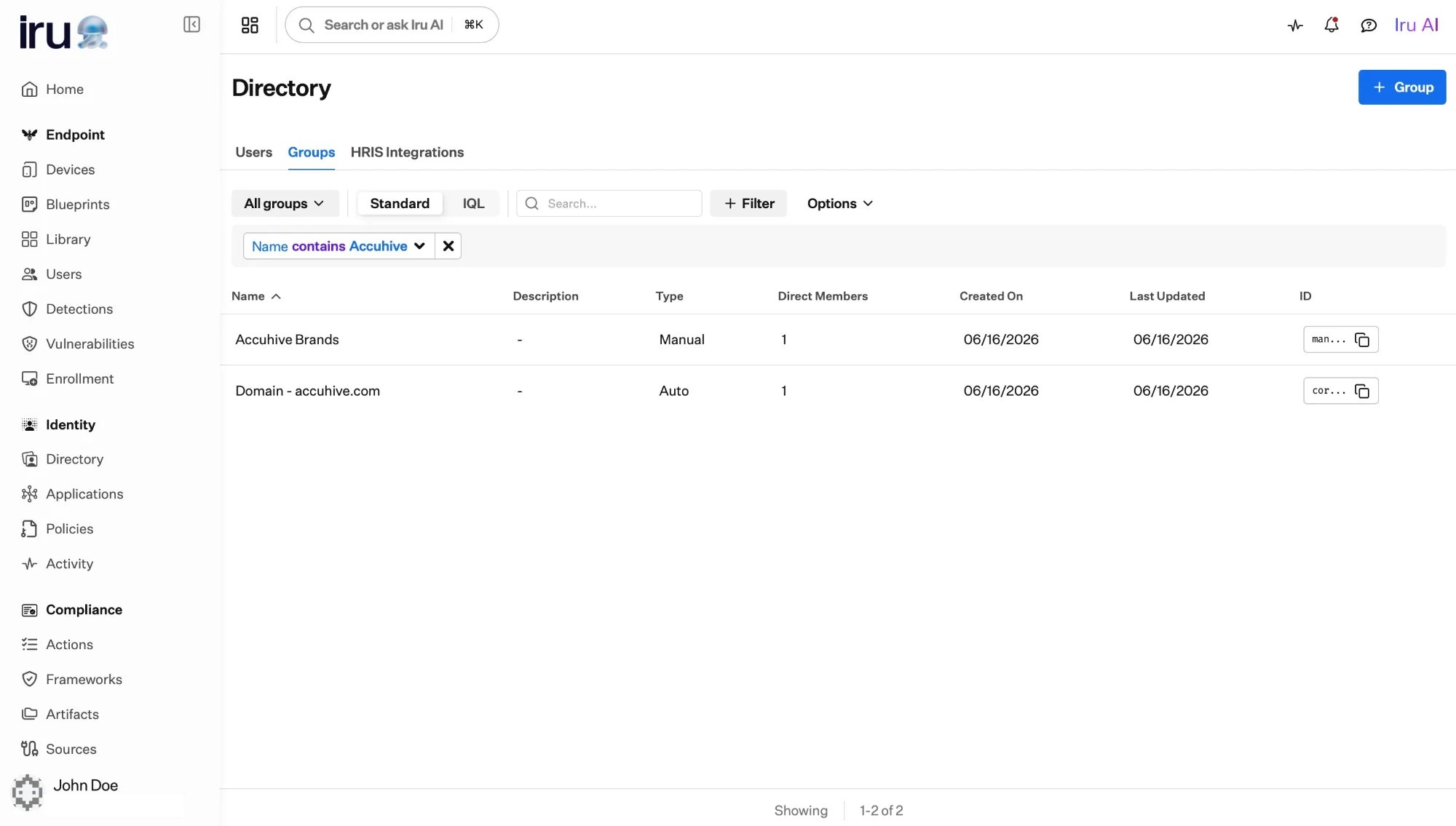
The Groups catalog lists every group with its type (Manual, Auto, or built-in) and its direct member count.
The three kinds of group
Iru Identity has three kinds of group. They share the catalog and are all assignable to applications; what differs is how membership is decided.Manual
You choose the members yourself, and can nest other groups. Membership changes
only when you change it.
Built-in
Provided automatically for every organization, for example a group that
contains all your users.
Auto
Membership is computed from a profile attribute and updates itself as profiles
change.
Built-in groups
Built-in groups exist for every organization without any setup. The primary example is a group that always contains all users, a convenient way to grant something to everyone. Because they are managed by Iru, their membership is maintained for you.Which kind should you use?
- Membership follows an attribute
- Everyone should get it
- No rule fits
Use an Auto Group. If everyone in
“Engineering” or everyone in a given office should get the same access, base the
group on the attribute that says so. Membership then maintains itself as users
join, move, and leave.
Assigning access to groups
Groups exist so you can grant access to many users at once. You assign a group to an application the same way you assign an individual. Everyone in the group, including members of any nested groups, gains access. The full set of users who end up with access through a group is the application’s effective users. Removing someone from the group removes their access; adding someone grants it, with no change to the application itself. See Assigning access for the full assignment workflow.Next steps
Manual Groups
Build a group by hand, and nest groups for roll-ups.
Auto Groups
Compute group membership from a profile attribute.
Define attributes
Shape the profile fields that Auto Groups build on.
Grant access
Assign groups to applications and review effective users.