

Every mapped value is written in
IQL (Iru Query Language),
the same expression language used for
Directory Sync attribute mapping and
Auto Group rules. A value can be a single
profile field (
user.email) or an expression that reshapes one
(user.email.lowerAscii()).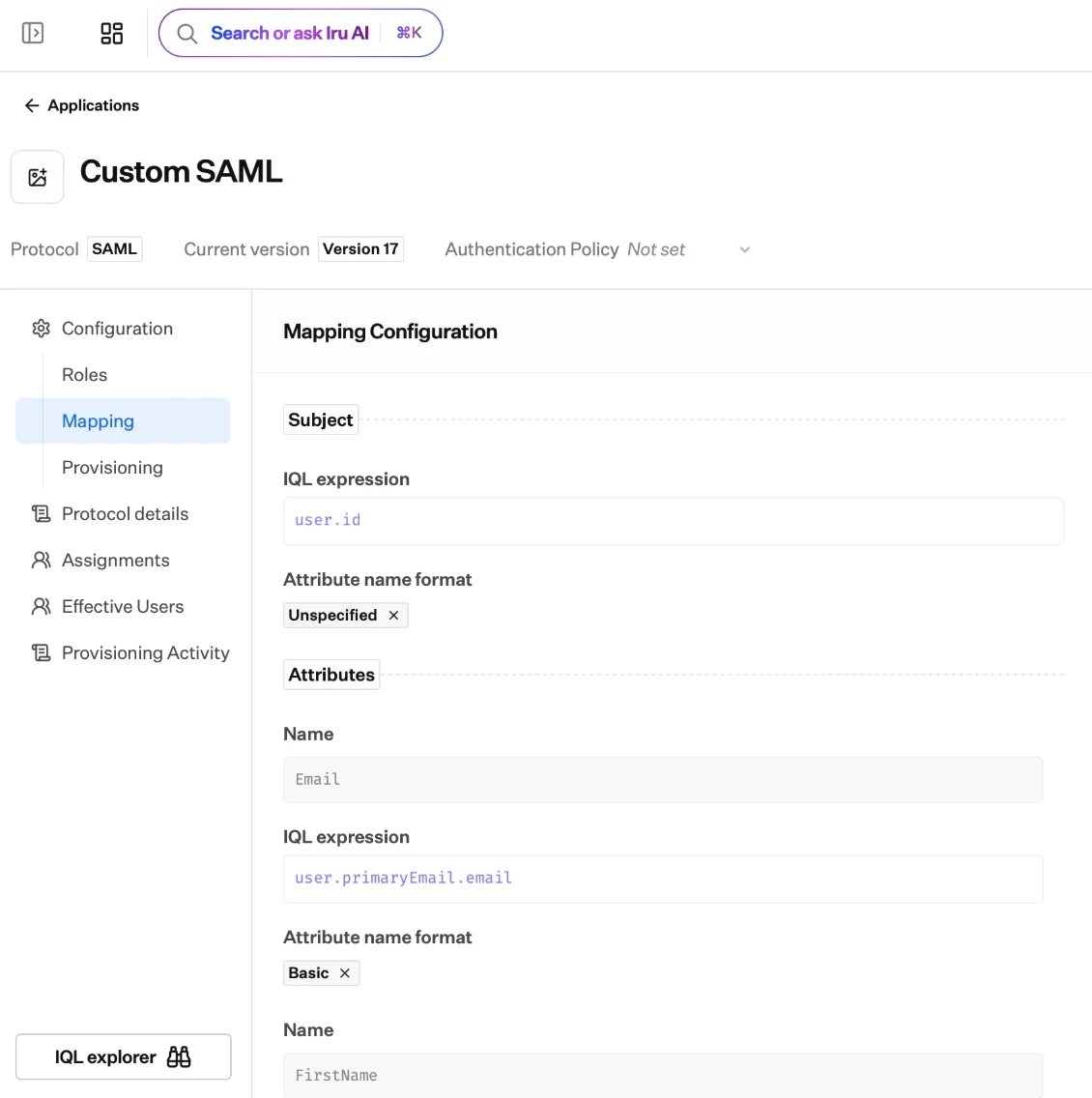
The mapping editor: an IQL expression sets the Subject and each attribute, with the IQL explorer for the available fields and functions.
What a mapping contains
Every application maps two things into the statement it sends:- The subject: the primary identifier for the signed-in user.
- Attributes or claims: any additional fields the app expects.
The subject
The subject identifies the signed-in user. Its default depends on the protocol:
You can change the value it draws from, and for SAML choose a NameID format.
See SAML applications and
OIDC applications for the
protocol-specific options.
Attributes and claims
Beyond the subject, add each field the app needs. For every one you set its name (what the app expects), its value (the IQL expression that produces it), a protocol detail (an attribute name format for SAML, or a scope for OIDC), and whether it is enabled.How you build a mapping
1
Open the app's mapping
Mapping lives in the application’s draft, alongside its protocol settings.
2
Write an IQL expression per field
For the subject and each attribute or claim, write an
IQL expression. The editor
suggests the available
user fields and functions as you type and checks the
expression, so mistakes surface before you publish.3
Preview the result
A live preview renders the exact assertion or token Iru will send, so you
can confirm its shape before going live.
4
Publish
Set the draft as current to make the mapping live. See
Applications overview for the
version model.
Mapping for provisioning
Mapping shapes more than sign-on. For apps with provisioning, the mapping also has a provisioning view that controls which profile attributes Iru sends when it creates or updates the account in the app.Where to go next
Iru Query Language
The full IQL reference: fields, operators, functions, and examples.
SAML applications
NameID formats and attribute mapping for SAML apps.
OIDC applications
Subject and claim mapping for OIDC apps.
Provisioning
Map the attributes Iru sends when it creates and updates accounts in an app.