

Direct members and effective users
A manual group’s direct members are whatever you add to it by hand, and a member can be a user or another group, including an Auto Group. Nesting groups lets you model your organization and roll smaller groups up into larger ones. The group’s page reflects this with two views:- Members: the direct members you added: users and groups, each labeled by type.
- Effective Users: the fully-resolved list of only the users, found by expanding every nested group recursively. This is who actually gains access when you assign the group to an application.
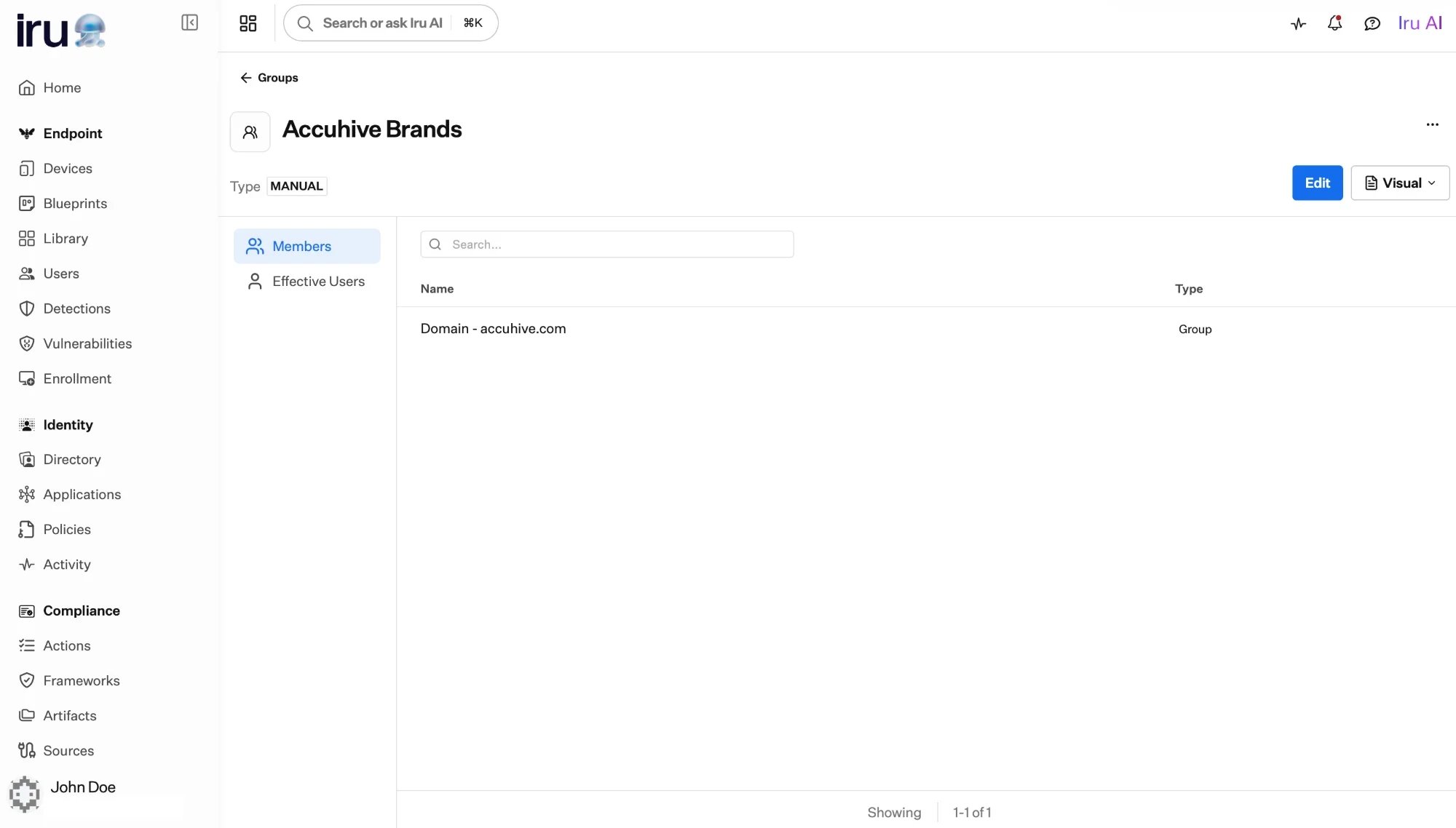
A manual group's Members tab: a direct member can be another group (here, an Auto Group). The Effective Users tab resolves the membership down to individual users.
Create a manual group
1
Add the group
In Directory → Groups, add a group and give it a name and description.
2
Add members
Add users, or add other groups to nest them. Membership stays exactly as you
set it until you change it.
3
Assign access
Assign the group to applications so its members gain access. See
Assigning access.
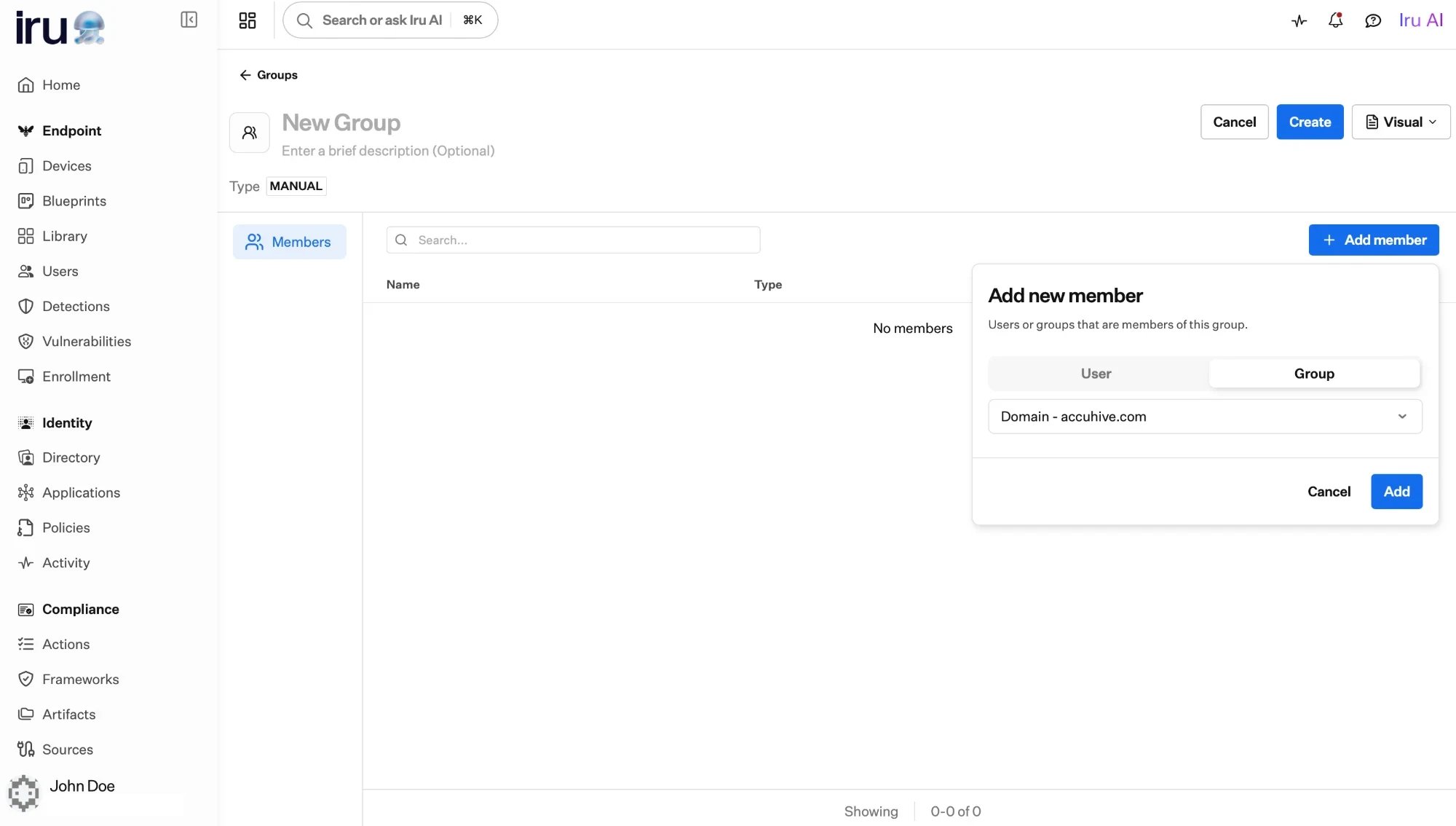
Adding a member to a manual group: toggle between a user and a group.
Next steps
Groups overview
How manual, built-in, and Auto Groups compare.
Auto Groups
Let membership compute itself from a profile attribute.