

Need help with a step? Contact Iru Support.
How It Works
Iru AI runs on a daily schedule and reviews changes to connected Sources (new connections, removed integrations, configuration updates) and policy artifacts (published, edited, or retired). It compares that activity to the controls and actions in each framework and creates a Control Update recommendation when wording should change to match how you operate. Recommendations usually appear within 24 hours of the triggering activity. Nothing in your frameworks changes until you approve it. You review each recommendation in a side-by-side diff, choose which changes to include, and confirm. Approved updates apply to the control or action text you selected; rejected or unchecked items stay as they are.Capabilities
Where Recommendations Appear
The same recommendation can open from any of these entry points:1
Insights on Home
When a recommendation is pending, an Insights card appears at the top of Home (select Home in the left navigation bar). The card summarizes the framework and how many controls Iru AI suggests updating. Select Review Control Updates to open the review panel.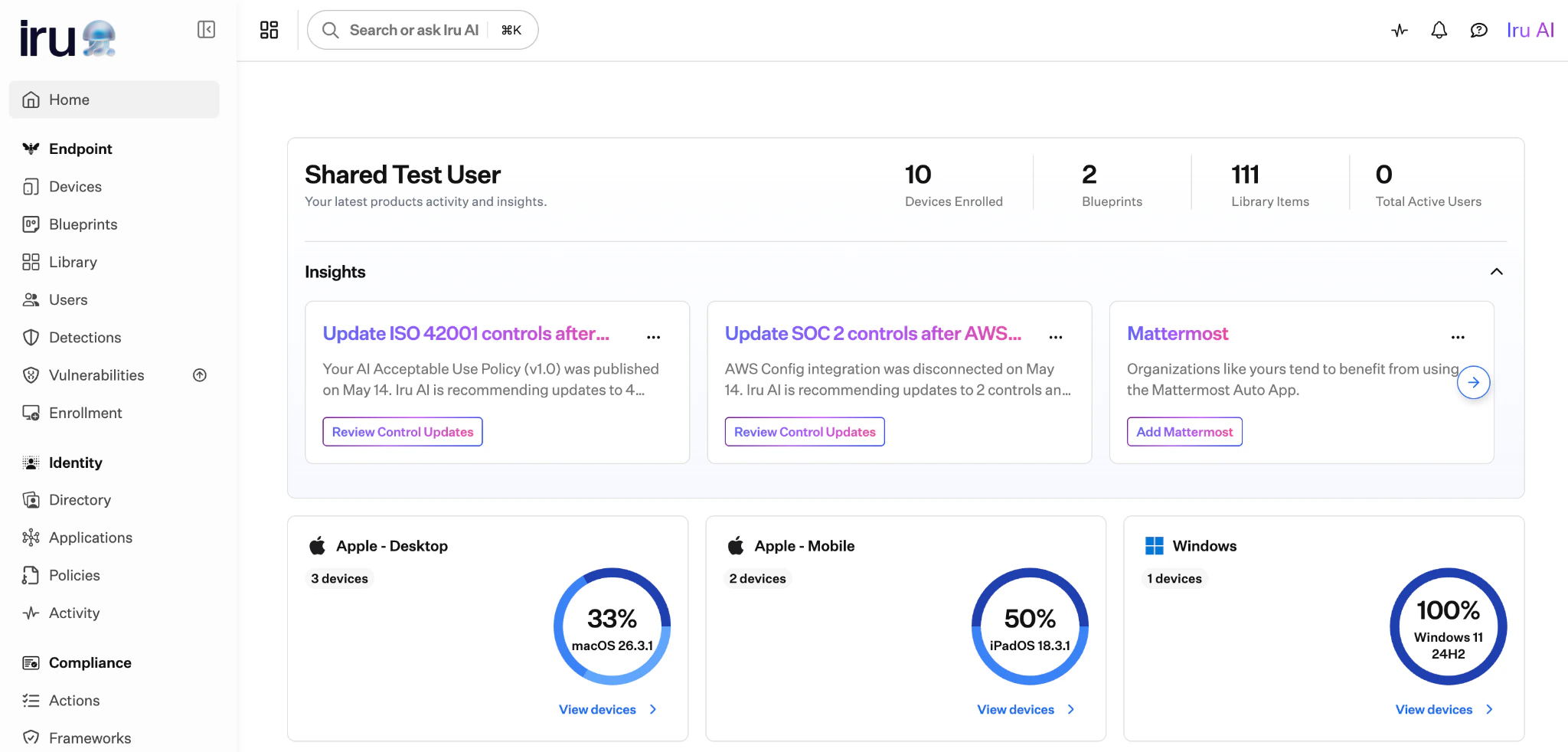
2
Frameworks list
On the left navigation bar, expand Compliance and select Frameworks. Frameworks with pending recommendations show an Iru AI indicator on the card. Select Review Control Updates on the card to open the review panel.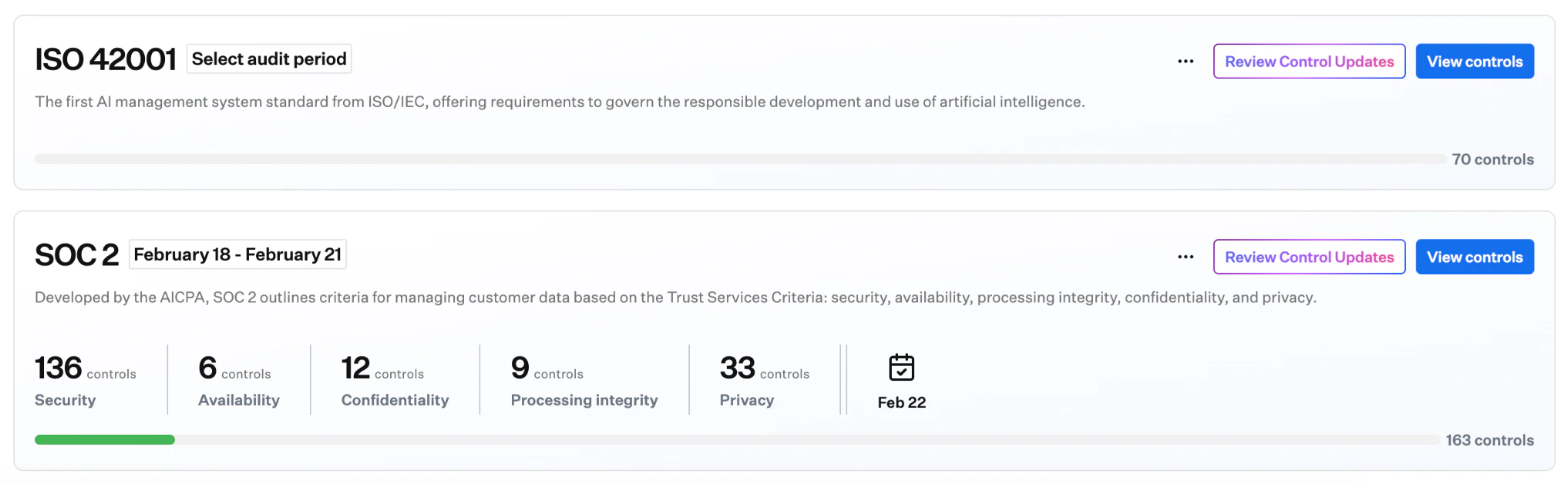
3
Framework detail
On a framework’s detail page, use Review Control Updates in the page header (next to the framework name and audit details).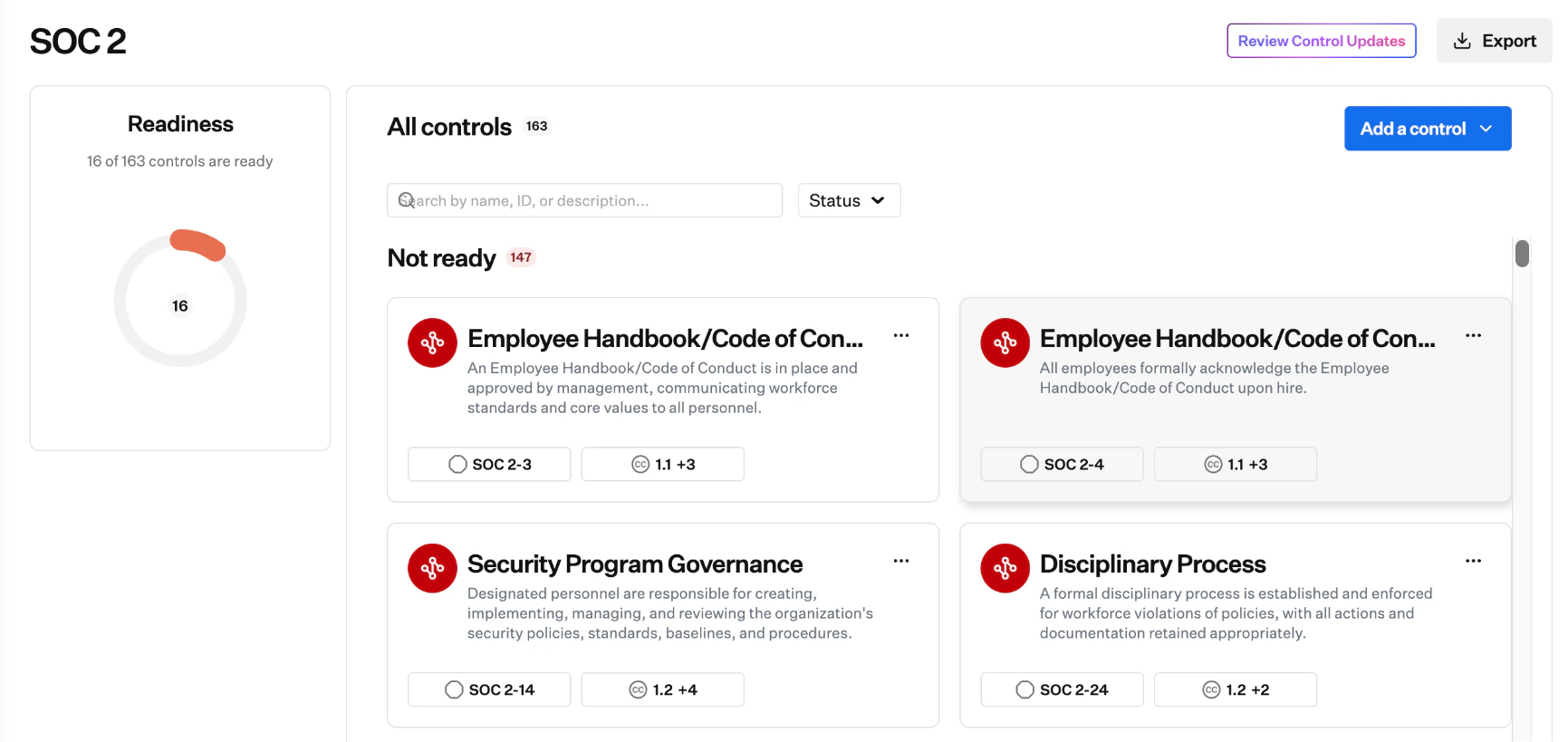
Review and Approve Control Updates
1
Open the review panel
From Home → Insights, Frameworks, or a framework detail page, select Review Control Updates.The header summarizes the recommendation. On the right: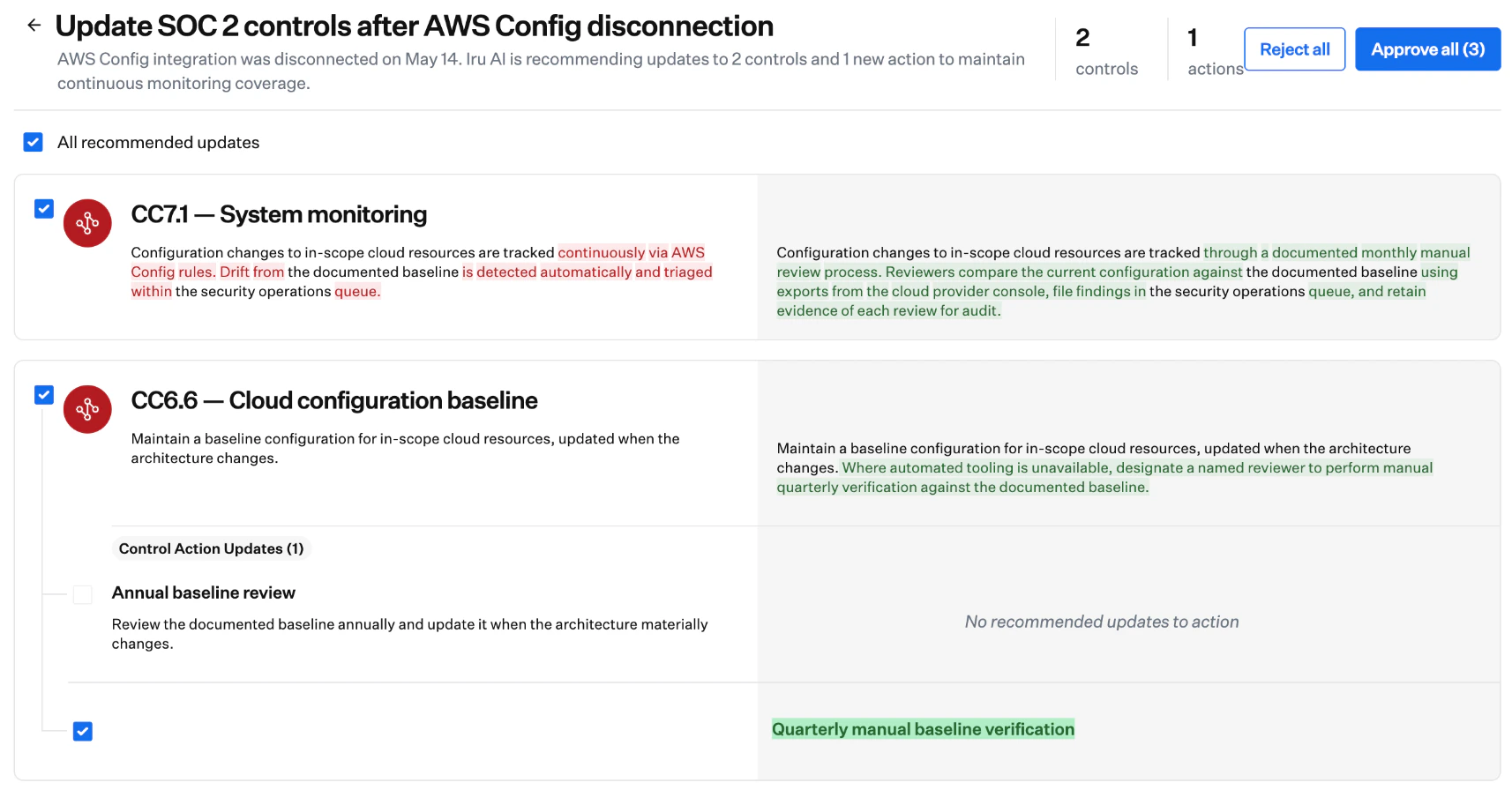
- Reject all: dismiss every proposed change in this recommendation
- Approve all (N): apply every checked change
2
Review changes per control
Each control with proposed changes appears as its own section:
- Current text (left): existing control or action wording
- Proposed text (right): suggested wording, with additions and removals highlighted
3
Choose which changes to apply
Each proposed change has a checkbox. All are checked by default.
- Leave a box checked to include that change when you approve
- Clear a box to keep the existing text for that control or action
- Use All recommended updates to select or clear everything at once
4
Approve, reject, or close
- Approve all (N): applies every checked change. The recommendation is removed from Insights and the framework.
- Reject all: dismisses the full recommendation, including unchecked items. Iru AI may surface a new recommendation later if signals continue.
Considerations
Review before approving
Iru AI does not edit controls on its own. You must select Approve (or approve individual checked items) for text to change.
What can change
Only control and action text updates. Framework configuration (including audit period and auditor details), evidence attachments, and readiness calculations tied to completed actions are outside this workflow. Today, recommendations react to Source and policy artifact changes (see Policies Management); more signal types may be added in later releases.
Editing proposed text
You cannot edit Iru AI’s proposed wording in the review panel in this release. If a suggestion is close but not right, clear that checkbox, approve the rest, then edit the control or action directly on the framework. See Frameworks Management.
Who can act
Approving or rejecting recommendations requires Admin or Compliance Admin access in Compliance (see Compliance Permissions). Other roles may see that a recommendation exists but cannot approve or reject it.
Audit trail
Approvals and rejections are recorded with the acting user. Open the framework’s history to review past control update decisions.
Account Owners and Insights
Home → Insights cards for control updates follow the same Iru AI access rules as other insights. Disabling Iru AI for the tenant removes the chat interface and general Insights; Compliance features that rely on Iru AI may still run. See Iru AI Overview.
Troubleshooting
No recommendation appears after I changed a source or policy
No recommendation appears after I changed a source or policy
Recommendations run on a daily schedule, so wait up to 24 hours after the change. If nothing appears, confirm the integration or artifact change completed successfully and that your role can view frameworks. If you published or updated a policy, confirm the change in Policies Management. If integrations and policies have been stable, there may be no signal for Iru AI to act on yet.
I cannot approve or reject
I cannot approve or reject
Only Admin or Compliance Admin can approve or reject Control Update recommendations. Confirm your role on the Access page. See Compliance Permissions.
I rejected a recommendation and need the old or new wording back
I rejected a recommendation and need the old or new wording back
A rejected recommendation does not return on its own. Edit the control or action directly on the framework if you need to restore or adjust text. If drift continues, Iru AI may generate a new recommendation on a later daily run.
I closed the review panel without approving
I closed the review panel without approving
The recommendation remains on Home → Insights and on the framework until you or another Admin or Compliance Admin approves or rejects it.
Approved text still does not match what I need
Approved text still does not match what I need
Uncheck specific items before you approve, or edit the control or action after approval on the framework detail page. Inline editing inside the review panel is not available in this release.
Related Articles
Frameworks Management
Add frameworks, edit controls, and track readiness.
Getting Started With Compliance
Recommended setup order for frameworks, sources, and actions.
Sources Management
Connect and remove integrations that can trigger control update recommendations.
Artifacts Management
Policy artifacts and other evidence tied to controls.
Policies Management
Create, publish, and update security and compliance policies.
Actions Management
Action descriptions that sources and Adaptive Compliance may reference.
Platform Workflows
How frameworks, sources, actions, and evidence connect over time.