

This guide applies to Apple devices
What is a Device Enrollment Profile?
Iru Endpoint links a specific profile to devices in your Apple Business or Apple School Manager account using Apple’s Device Assignment Services API to enable Automated Device Enrollment. After Iru Endpoint assigns a profile, the device can complete Automated Device Enrollment automatically.Device Enrollment Profile Statuses
Check Device Enrollment Status
Before attempting to enroll a device through Automated Device Enrollment, check the status in the Automated Device Enrollment section in your Iru Endpoint web app.1
Navigate to Enrollment
Select Enrollment in the left-hand navigation.
2
Select Automated Device Enrollment
If not already selected, choose Automated Device Enrollment.
3
Filter Device Status
In the upper right-hand corner, select Awaiting Enrollment or All.
4
Review Profile Status
The Profile column shows the status of the Automated Device Enrollment profile assigned to the device.
5
Check Assignment Date
The Assigned to Iru Endpoint column displays the date and time when the enrollment status was set.
The Awaiting Enrollment status means that a device is not currently enrolled with Iru Endpoint, but is ready to be enrolled through Automated Device Enrollment.
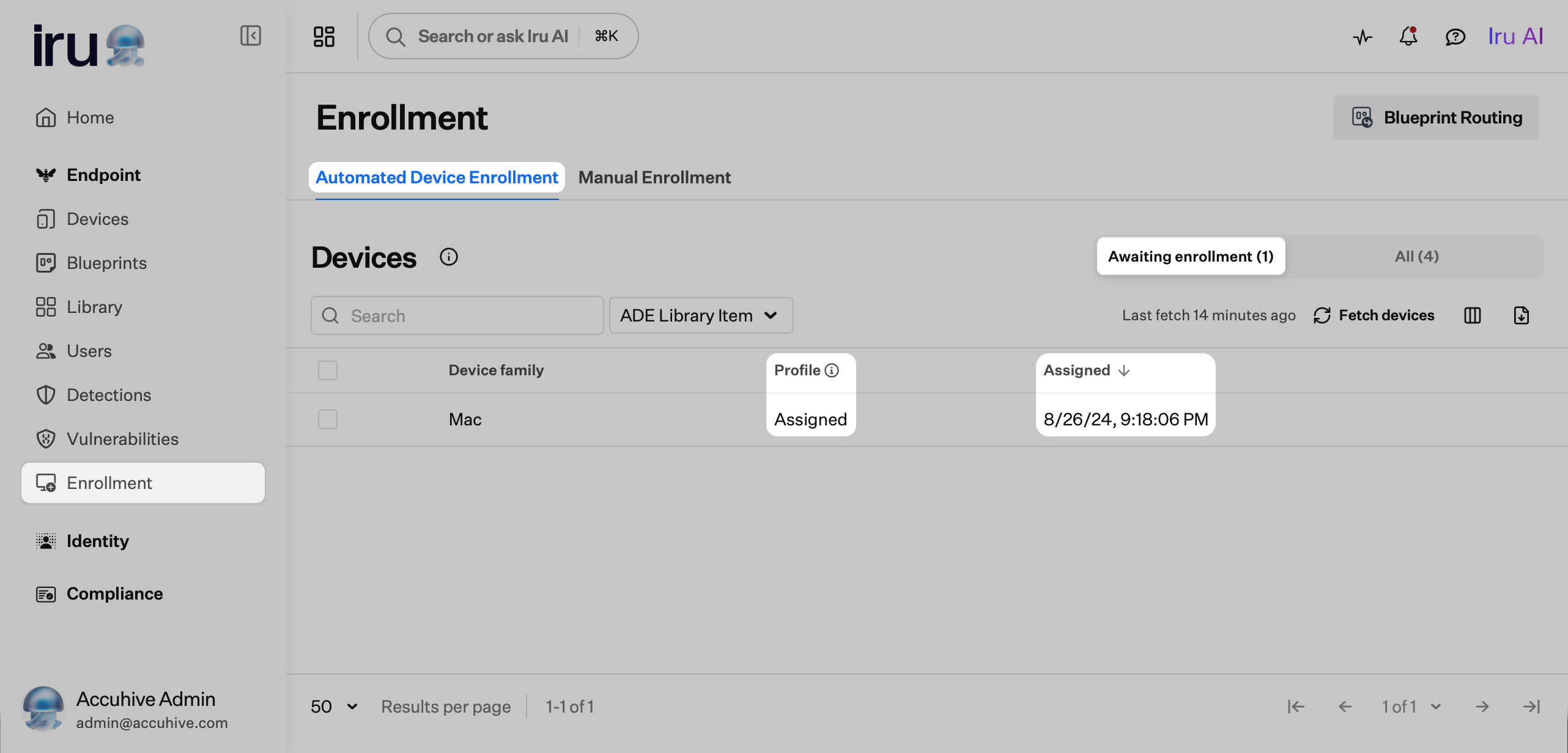
Last Fetch
The Last Fetch date and time shown above the Profile column is the last time Iru Endpoint received updated Automated Device Enrollment information from Apple Business or Apple School Manager.Timing Considerations
When Apple devices connect to the internet during Setup Assistant, they contact Apple to determine if they have a Device Enrollment profile pending. If the device does not have a profile pending at that time, it can be set up as if it were a consumer Apple device. Before connecting your devices to the internet during Setup Assistant, ensure that:- You have assigned your devices to Iru Endpoint using Apple Business or Apple School Manager
- You see the “Assigned” status for the applicable devices in Iru Endpoint