

This guide applies to Mac computers and Windows computers
As of April 8, 2026, apps were updated from Kandji 
 to Iru
  branding. The Agent app name changed from Kandji Agent to Iru Agent. Please update scripts, automations, and utilities that still reference the old app names.
to Iru branding. The Agent app name changed from Kandji Agent to Iru Agent. Please update scripts, automations, and utilities that still reference the old app names.- macOS
- Windows
About the macOS Agent
Iru Endpoint’s proprietary macOS agent extends the functionality of our platform beyond what the MDM framework can achieve by itself. The Iru Agent for macOS is custom-built in Swift for Apple devices. The agent also installs a system extension that uses Apple’s Endpoint Security framework for extra device management, plus EDR and Vulnerability Management.Actions performed by the Iru Agent
App Blocking
Blocks applications specified in the App Blocking Library Item and presents the Iru Endpoint dialog window to end users. Handled by the Iru system extension to ensure blocks happen as quickly and effectively as possible.
Auto Apps
Installs and enforces updates for Auto Apps. On limited networks, background update downloads may be deferred until enforcement is due soon. See Downloads on limited networks below.
Computer details and inventory
Collects the full application list and other system details the MDM framework cannot always pull. Application inventory data in Prism is gathered by the Iru system extension, allowing it to be made available in near real-time.
Custom Apps
Installs DMG, PKG, and ZIP files and runs audit, pre-install, and post-install scripts. Can force restarts when that option is enabled. See also Configure the Mac Custom App Library Item.
Custom Printers
Installs Custom Printers with downloadable files. On limited networks, background downloads may be deferred until enforcement is due soon. See Downloads on limited networks below.
Endpoint Detection and Response
EDR and its associated scans are completed using the Iru Agent.
Parameters
Built-in Blueprint options that control system-level settings on Mac computers. The Iru Agent enforces them at check-in.
Scripts
All scripts are run as root by the Iru Agent.
Vulnerability Management
Vulnerability Management and its associated scans are completed using the Iru Agent.
Downloads on limited networks
When macOS reports that the current connection is constrained (for example Low Data Mode), expensive (for example a mobile hotspot), or both, the Iru Agent adjusts when it downloads managed software.During background processing at check-in, the agent defers Auto App update downloads and Custom Printer file downloads on limited networks unless the install is due within 8 hours. When enforcement is approaching, the agent proceeds with the download and records the reason in the agent log.For installs, updates, and reinstalls that a user starts in Iru Self Service or the Iru menu bar app, the agent warns before downloading on a limited connection. The message reflects the network type macOS detected.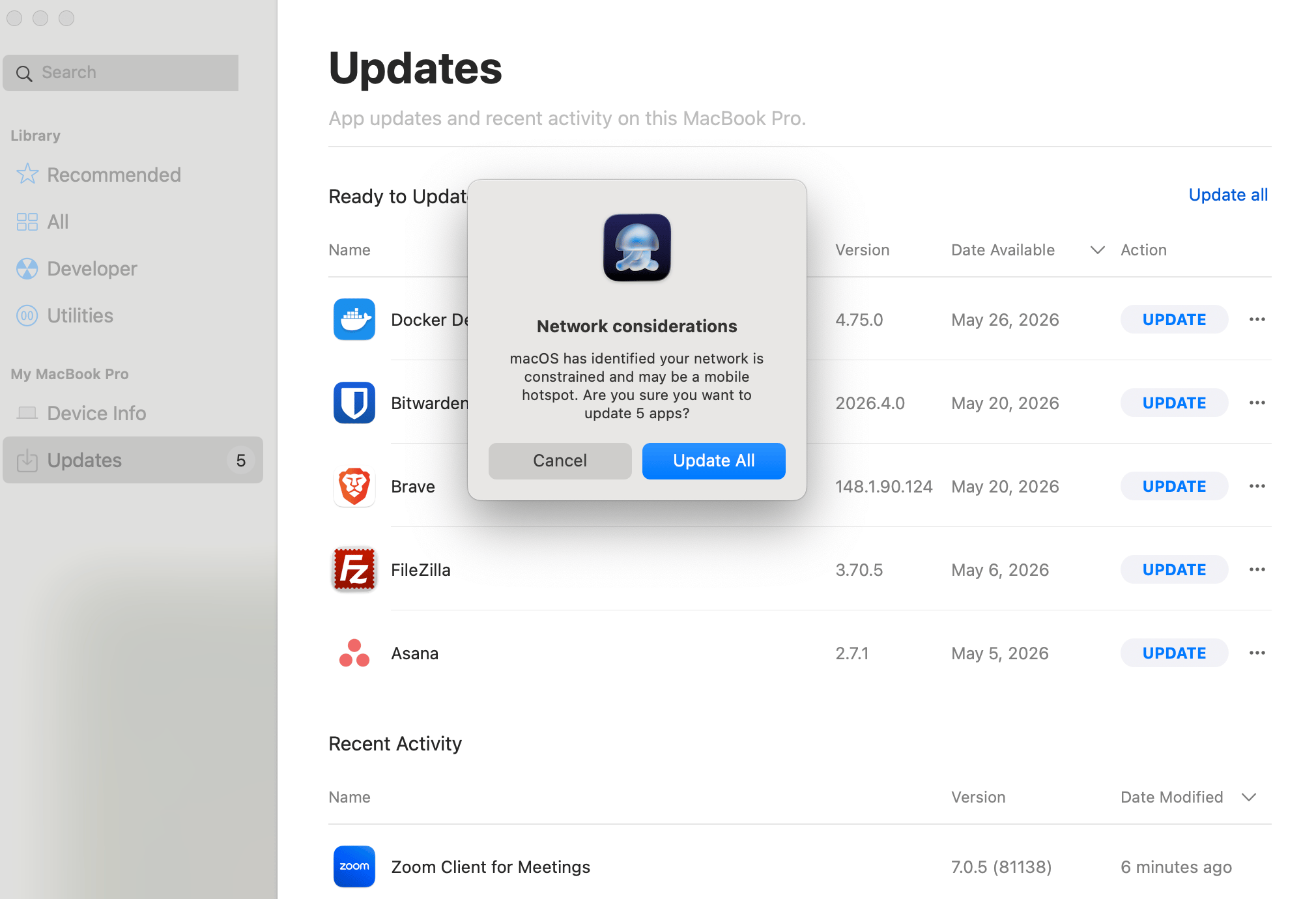
- First-time installs, including Library Items selected for install during Automated Device Enrollment
- Forced installs from Vulnerability Response
agent.log
About the MDM Framework
Using Apple’s MDM framework in macOS, iOS, iPadOS, and tvOS, you can deploy and configure apps and settings, collect device information, and remotely lock or wipe devices. This can be done with corporate-owned as well as Bring Your Own Device (BYOD) devices.One advantage of using Apple’s MDM framework is how quickly it can communicate with devices. That means commands (such as to lock or erase devices) are implemented almost instantly. This is made possible by the Apple Push Notification service (APNs). Apple devices are constantly polling APNs for notifications requesting that managed devices check in with their MDM servers. Because of this constant polling, management of online devices can happen almost instantly.Actions performed by MDM
Apps and Books
Installs apps acquired through Apps and Books in Apple Business or Apple School Manager. Apps and Books was formerly called the Volume Purchase Program (VPP). See also Add Apps from Apps and Books.
Automated Device Enrollment
Enrolls devices during Setup Assistant through Automated Device Enrollment, formerly called the Device Enrollment Program (DEP).
Iru Agent installation
When a macOS device enrolls into Iru Endpoint, one of the first commands is
InstallEnterpriseApplication to install the Iru Agent.Iru Agent reinstallation
Automatically sends
InstallEnterpriseApplication when the device checked in via MDM in the last 7 days but not via the Iru Agent in the last 7 days. See Troubleshooting Agent Check-Ins if the agent is not checking in.MDM Commands
Delivers commands such as those in the device Action menu through the MDM protocol.
Over-the-air enrollment
When users download the enrollment profile from the enrollment portal, device enrollment is handled through the MDM protocol.
Profile installation
Delivers MDM configuration profiles to the device. See Library Overview for how profiles and Library Items are managed.