About Auto App Requests
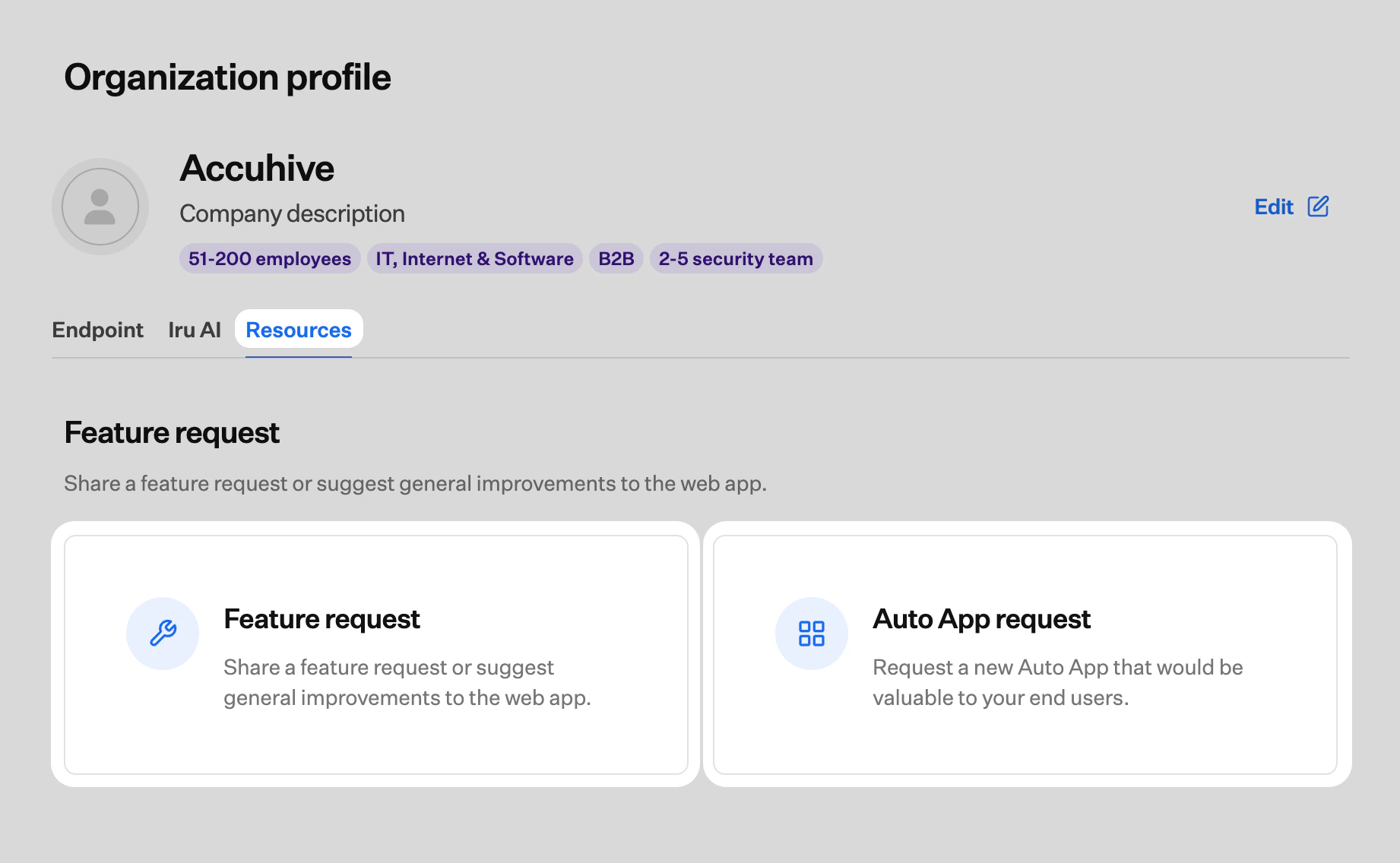
You request a new Auto App from the Resources tab on the Organization page. Suggested apps must not be available in the Mac App Store, Apple Business, or Apple School Manager, and they must be business or enterprise applications.Submit an Auto App Request
1
Open Organization
In the sidebar, select the Account Menu Button, then select Organization.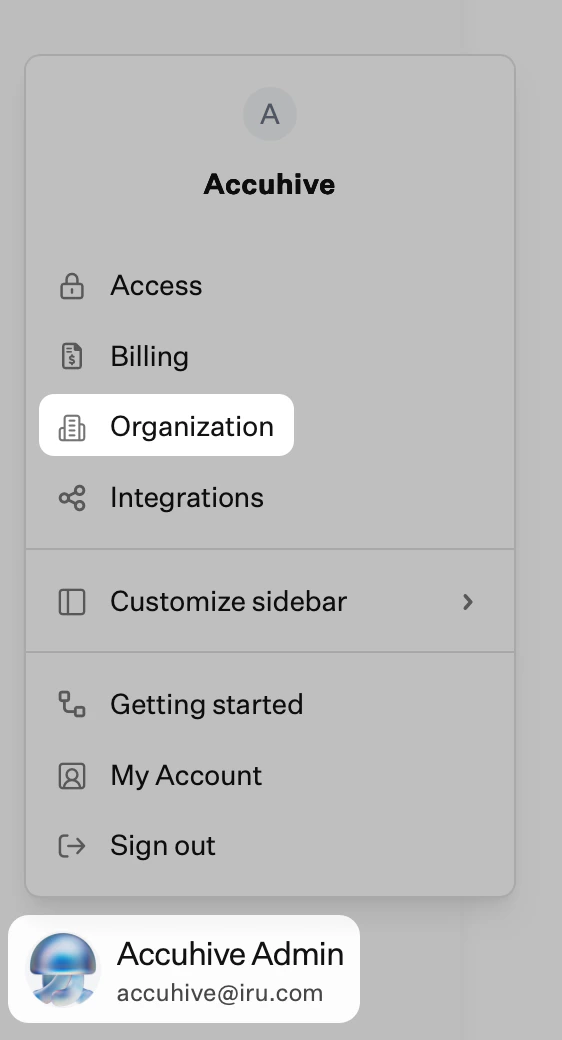
2
Open Resources and select Auto App request
Select the Resources tab, then select Auto App request.