

About My Account
Use My Account in the Iru Endpoint web app to update your profile photo and preferences for your own user. Changes do not affect other users in your tenant.1
Open My Account
In the sidebar, select the Account Menu Button, then select My Account.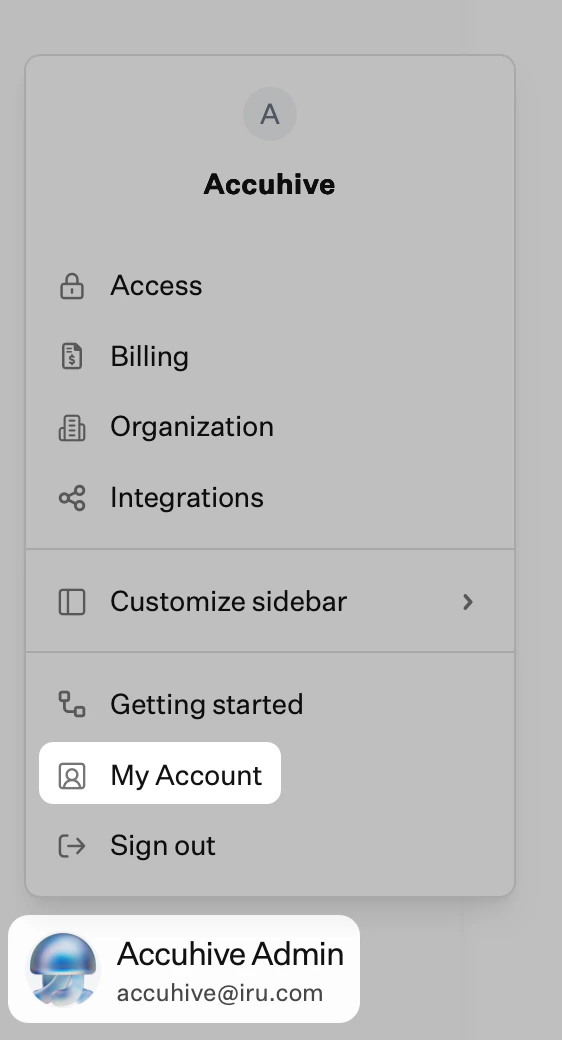
2
Open edit mode
Near the top right of the My Account page, select Edit. The page switches to edit mode and shows your profile photo with the controls you use to change it.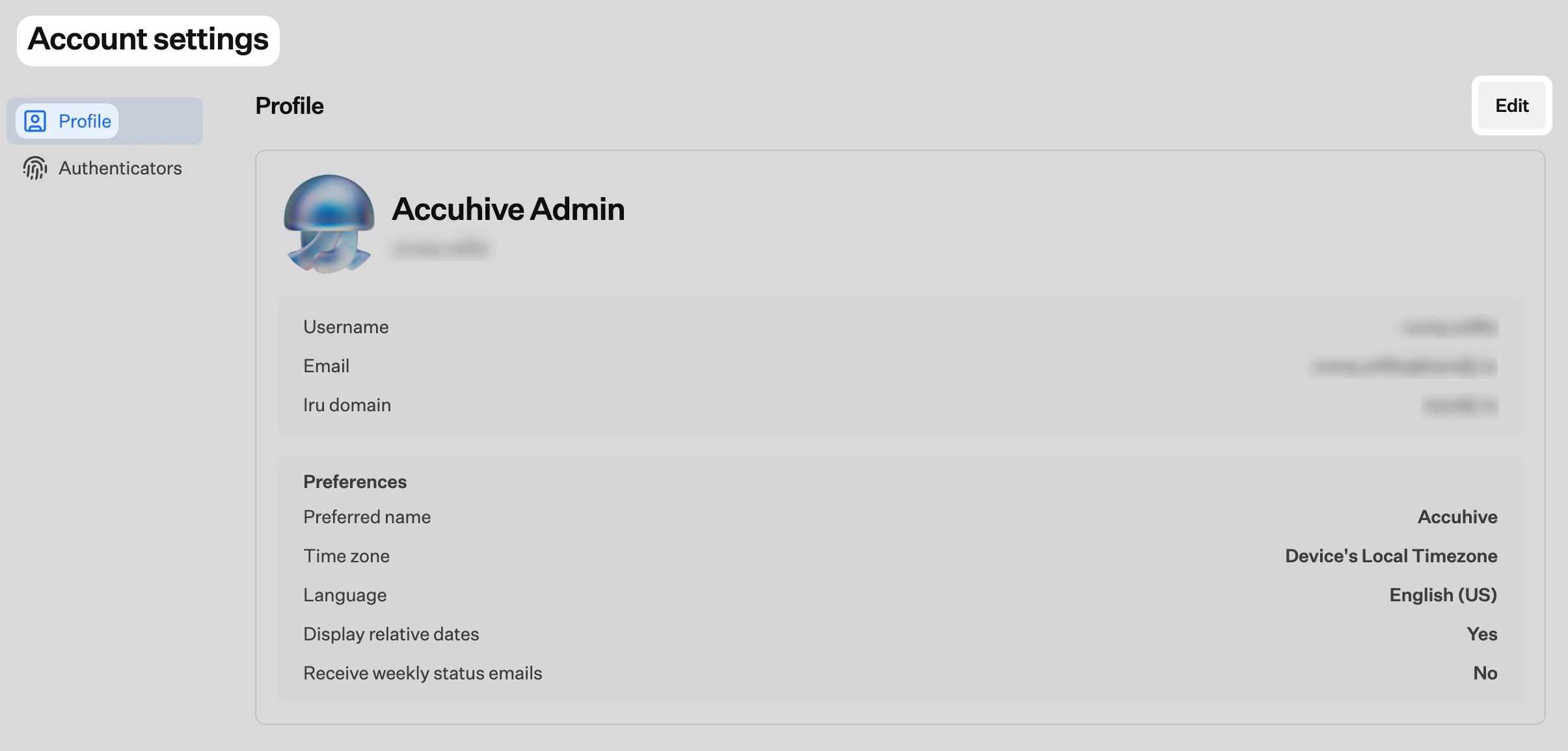
Upload a New Profile Photo
With My Account still in edit mode, use Upload new photo to pick an image from your computer.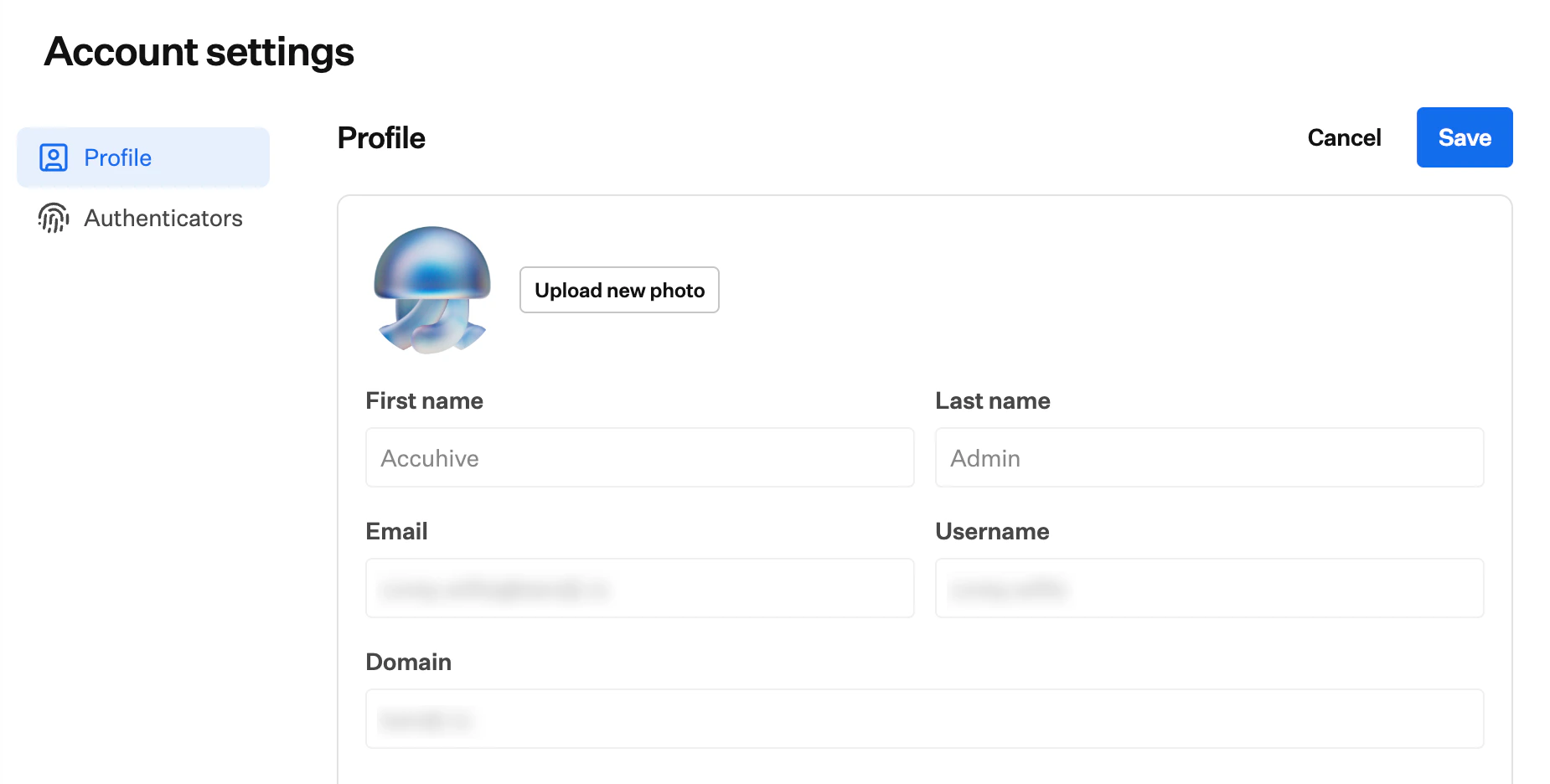
Preferences
The Preferences section controls how your name, locale, dates, and email summaries appear for your account in the Iru Endpoint web app.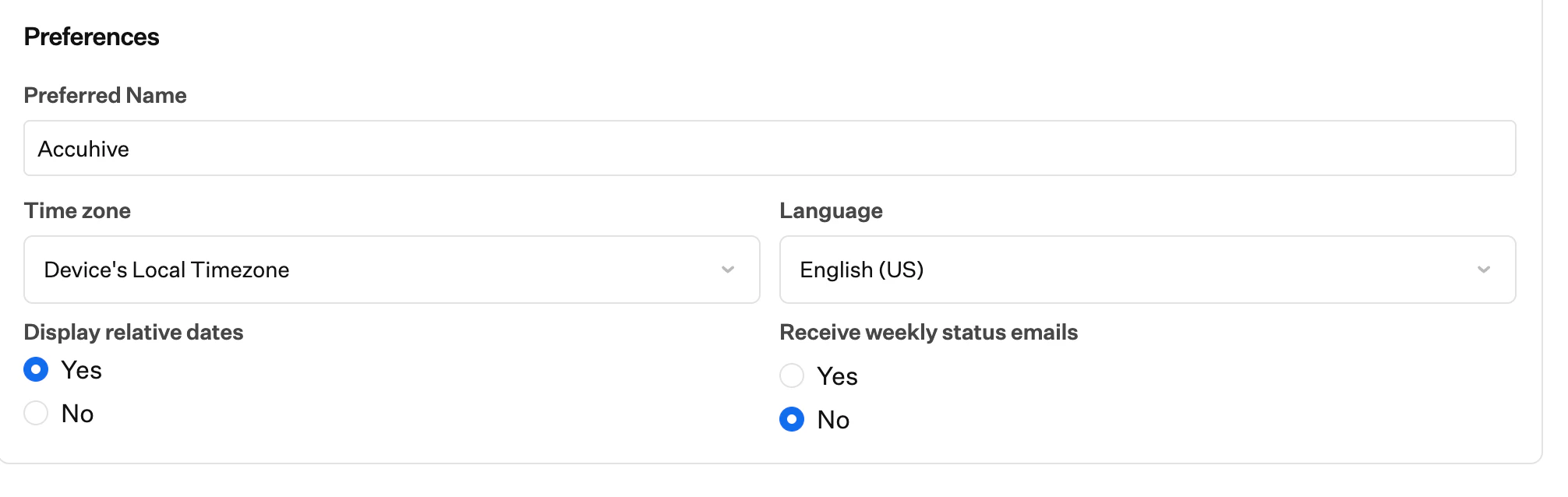
Preferred Name
Use Preferred name to define how you want your name to appear. Enter or update the text in the field whenever you want to change it.Time Zone
Time zone sets how dates and times are shown for your account. Open the list and pick the line that matches where you work (each entry lists an offset with a region or city). To follow the clock on the device you are using instead, choose Device’s Local Timezone. Scroll the list to find the value you need.Language
Language sets the display language for the Iru Endpoint web app for your user. Open the list and choose the locale you want. The menu shows every language Iru Endpoint currently supports for the interface.Display Relative Dates
Display relative dates turns relative time labels on or off where the app supports them, instead of showing only fixed timestamps. Select Yes or No.Weekly Status Emails
Use receive weekly status emails to turn optional summaries on or off for your Iru Endpoint tenant. Select Yes or No. Weekly email delivery reflects your saved choice starting the following week. If you choose Yes, messages follow the normal weekly schedule. This option is separate from the email categories available when subscribing on the Iru Product Updates page.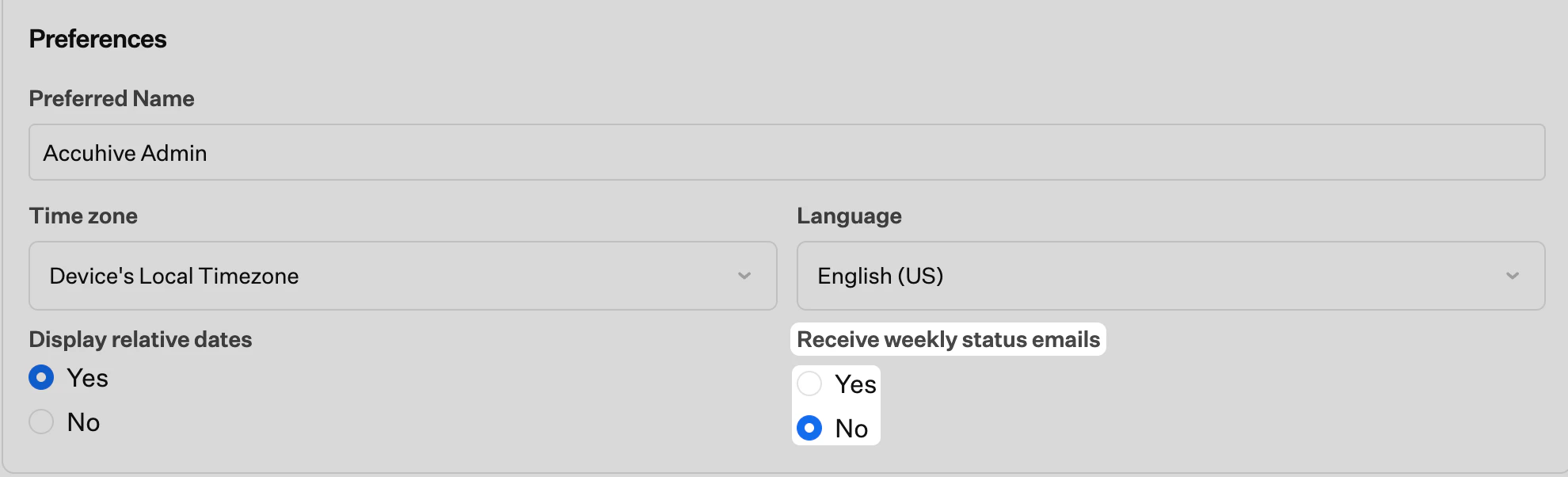
These changes only affect your specific user. Your weekly status email preference takes effect starting the following week, and you can edit these preferences again at any time.
Considerations
User-specific settings
Profile photo and preferences apply only to your account.
Weekly status emails
Weekly status emails summarize system status, device counts, and important notifications for your tenant.
Product updates on iru.com
Feature and product announcements use separate subscriptions on the Iru Product Updates page and are described in Iru Product Updates in this documentation.
Other notifications
Review remaining notification settings so you do not miss important alerts.
Team coordination
Align with your team if everyone needs weekly summaries for operations or reporting.