

Before You Begin
Follow ServiceNow integration: ServiceNow configuration so the Kandji ServiceNow app is installed in your tenant before you continue here.Setting Up ServiceNow Integration
Install the Kandji ServiceNow app from the ServiceNow store before you select Connect to ServiceNow in Iru Endpoint.
1
Log in to Iru Endpoint
Log in to Iru Endpoint.
2
Open Integrations
In the sidebar, select the Account Menu Button, then select Integrations.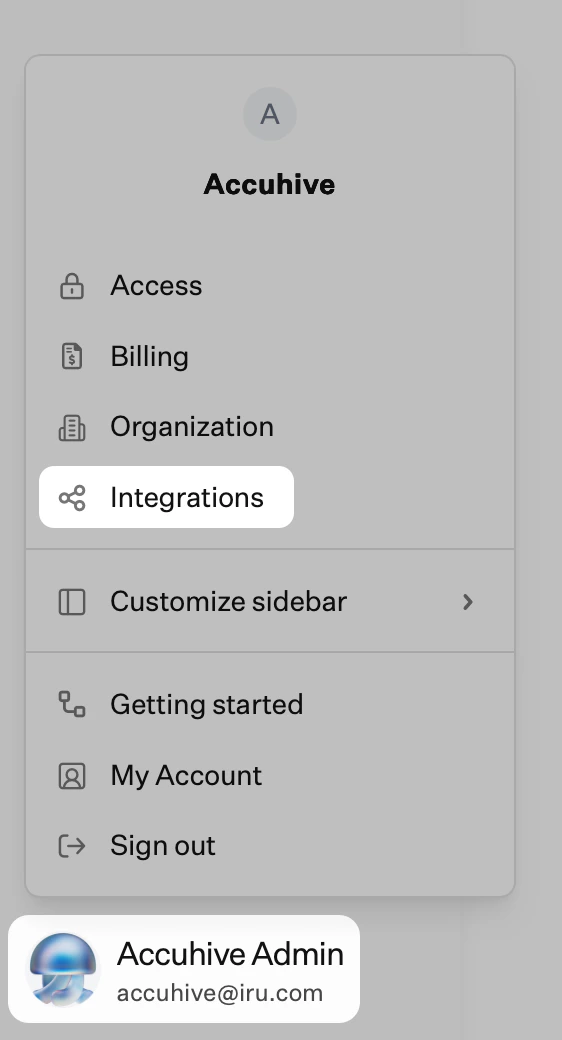
3
Browse all integrations
Select Browse all integrations in the upper-right of the Integrations page.
4
Select ServiceNow
Select the ServiceNow tile.
5
Enter ServiceNow Tenant
Enter only your ServiceNow tenant prefix, the part before
.service-now.com (for example, acme for acme.service-now.com).6
Enter Client ID
Enter the Client ID from the ServiceNow OAuth app that you created earlier.
7
Enter Client Secret
Enter the Client Secret from the ServiceNow OAuth app that you created earlier.
8
Enter Service Account Username
Enter the service account username you created earlier.
9
Enter Service Account Password
Enter the service account password you created earlier.
10
Install Kandji ServiceNow app
If you have not installed the Kandji ServiceNow app yet, install it from the ServiceNow store and complete ServiceNow configuration before you finish setup in Iru Endpoint.
11
Connect to ServiceNow
Select Connect to ServiceNow.
12
Send application inventory and usage data (optional)
If you are licensed for Software Asset Management Professional (SAM Pro), select Edit, turn on the option to send Mac application inventory and usage data to ServiceNow nightly, then select Save.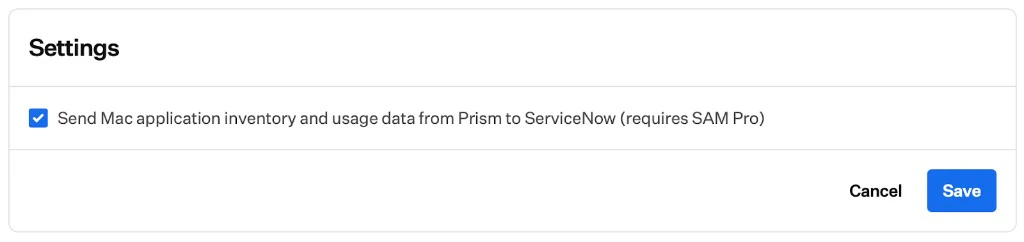
After setup completes, Iru Endpoint starts syncing Apple device data to ServiceNow.
Managing the Integration
After the integration connects, open the ServiceNow integration details page in Iru Endpoint to view connection status, tenant information, and the OAuth app in use.Reauthentication
If the ServiceNow credentials used to configure the integration need to be updated, re-authenticate from the integration details page in Iru Endpoint.When the ServiceNow integration requires re-authentication, Iru Endpoint displays a banner in the tenant until you complete re-authentication. Iru Endpoint also sends email reminders to Team Members with Admin or Account Owner permissions starting 30 days before the ServiceNow OAuth credentials expire.
1
Open Integrations
In the sidebar, select the Account Menu Button, then select Integrations.
2
Access ServiceNow Integration
In the Asset Management section, select ServiceNow.
3
Open Integration Menu
In the top-right corner, select the ellipsis (⋯).
4
Select Re-authenticate
Select Re-authenticate.
5
Update Credentials
Verify that the ServiceNow tenant domain and client ID are still accurate and enter the new account credentials.
6
Connect to ServiceNow
Select Connect to ServiceNow.
7
Verify Connection
If the credentials are accepted, you will be returned to the integration details page for ServiceNow.
Deleting the Integration
Use the following steps to remove the ServiceNow integration in Iru Endpoint.1
Open Integrations
In the sidebar, select the Account Menu Button, then select Integrations.
2
Access ServiceNow Integration
In the Asset Management section, select ServiceNow.
3
Open Integration Menu
In the top-right corner, select the ellipsis (⋯).
4
Select Delete Integration
Select Delete Integration.
5
Confirm Deletion
Read the confirmation carefully before you select Delete Integration.
Considerations
Prerequisites
Install the Kandji ServiceNow app from the ServiceNow store before you finish this integration in Iru Endpoint.
Credentials
Store OAuth app credentials securely and rotate them on your organization’s schedule.
Re-authentication alerts
When ServiceNow OAuth credentials are approaching expiry, Iru Endpoint displays a banner in the tenant and sends email reminders to Team Members with Admin or Account Owner permissions starting 30 days before expiry. Re-authenticate from the ServiceNow integration details page when prompted.
Testing
Test with a small set of devices before you roll the integration out broadly.
Data sync
Device inventory syncs automatically after the integration connects.
Related Articles
ServiceNow integration: Overview
How device inventory syncs from Iru Endpoint to ServiceNow staging and target tables, and how SAM Pro app data syncs when enabled.
ServiceNow integration: ServiceNow configuration
Install the Kandji ServiceNow app, create OAuth and a service account, and fix discovery source if Kandji does not appear.