> ## Documentation Index
> Fetch the complete documentation index at: https://docs.iru.com/llms.txt
> Use this file to discover all available pages before exploring further.
# Unified Activity
> View and filter activity across Iru Endpoint, Detections, Vulnerabilities, and Compliance in one unified timeline. Search events and review actors.
Preview
### About Unified Activity
**Unified Activity** is a cross-product timeline of actions across Iru. See what happened, who performed the action, when it occurred, and which product recorded the event.
Unified Activity is in **Preview** and is available alongside the current [Activity Page](/en/endpoint/devices/activity-page), which continues to show Endpoint activity. Unified Activity is supported through standard support channels, but some details may change before General Availability. See [Iru Release Stages](/en/iru/platform-overview/iru-release-stages) for details.
### How It Works
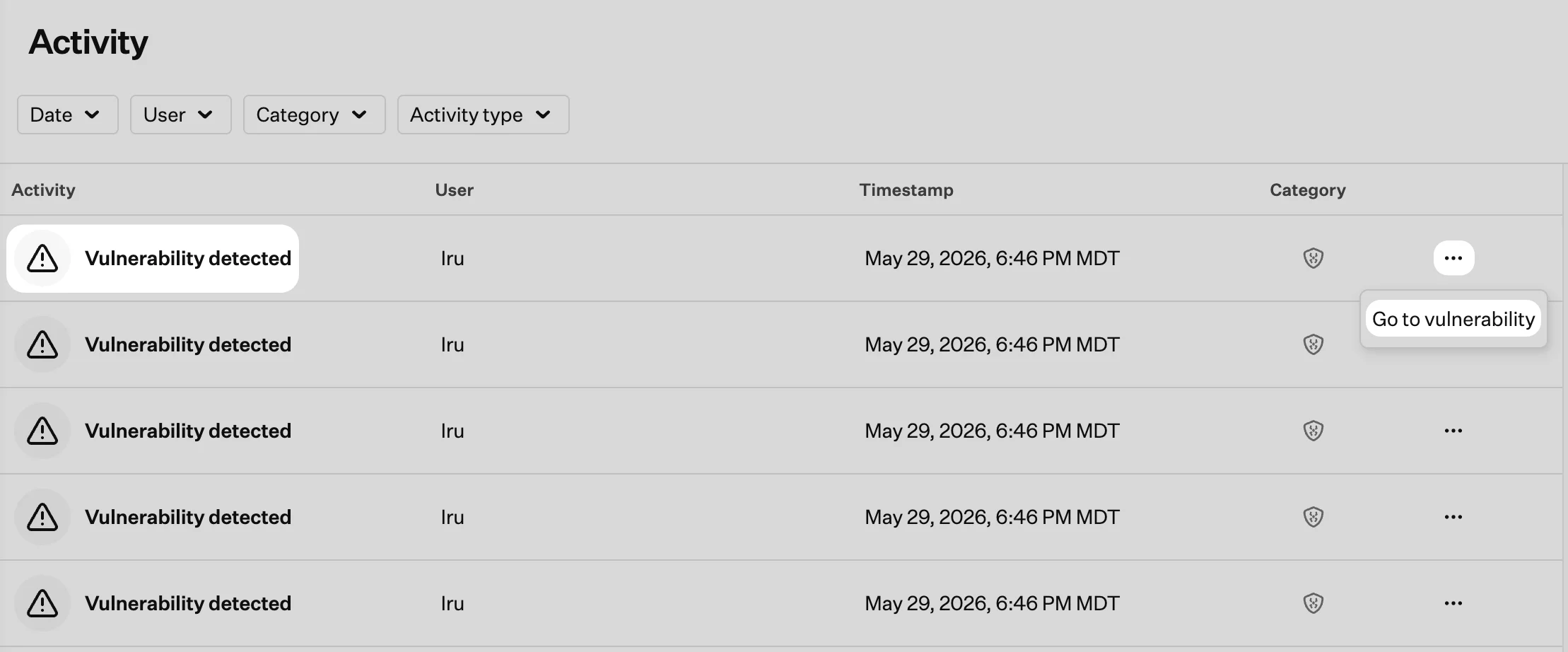
Activity from **Endpoint**, **Detections**, **Vulnerabilities**, and **Compliance** appears in one feed, sorted with the most recent events first. Scroll down to load additional events. Each row includes **Activity**, **User**, **Timestamp**, and **Category** columns.
When a product supplies a formatted description, that text appears in the **Activity** column.
### Access Unified Activity
Click the **Activity** icon (pulse icon) in the top right navigation bar.
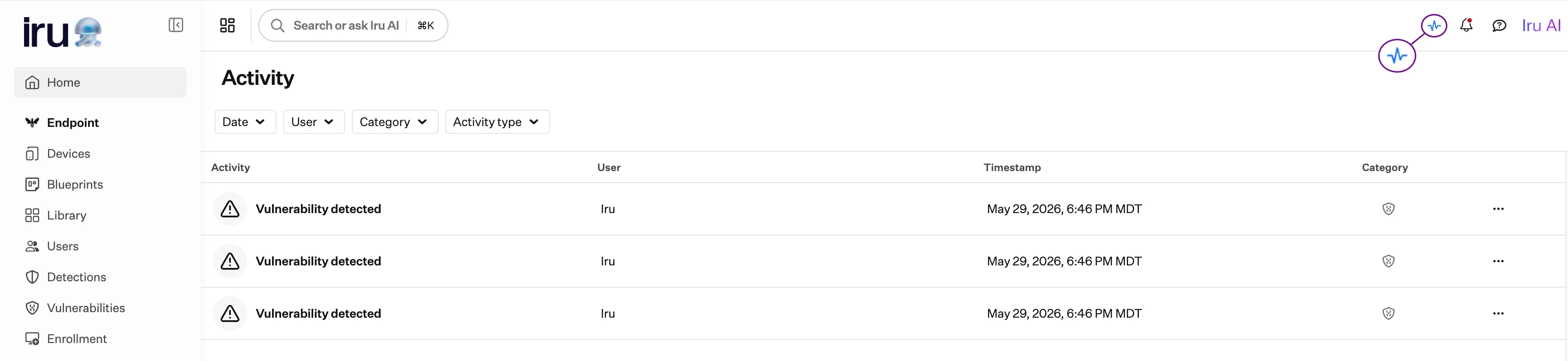 Use the search field and filters at the top of the page to narrow the feed. Filter by **Date**, **User**, **Category**, or **Activity type**, and combine them with search as needed. See [Search and Filter Activity](#search-and-filter-activity) for details on each filter.
### Review Activity Details
Click any row to expand it and read its fields. The **details** view opens by default. When the activity type provides them, you see formatted fields such as changes, related objects, and other context for that event.
Click an activity row to expand it. Review the **details** view, including changed fields, related objects, and other context for that activity type.
Use the search field and filters at the top of the page to narrow the feed. Filter by **Date**, **User**, **Category**, or **Activity type**, and combine them with search as needed. See [Search and Filter Activity](#search-and-filter-activity) for details on each filter.
### Review Activity Details
Click any row to expand it and read its fields. The **details** view opens by default. When the activity type provides them, you see formatted fields such as changes, related objects, and other context for that event.
Click an activity row to expand it. Review the **details** view, including changed fields, related objects, and other context for that activity type.
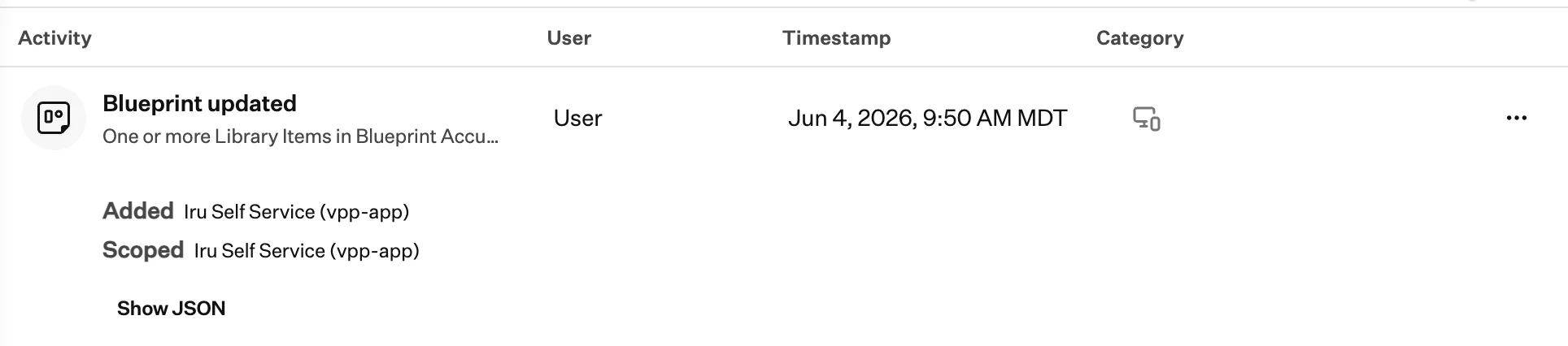 Click **Show JSON** to open the raw event record for that activity.
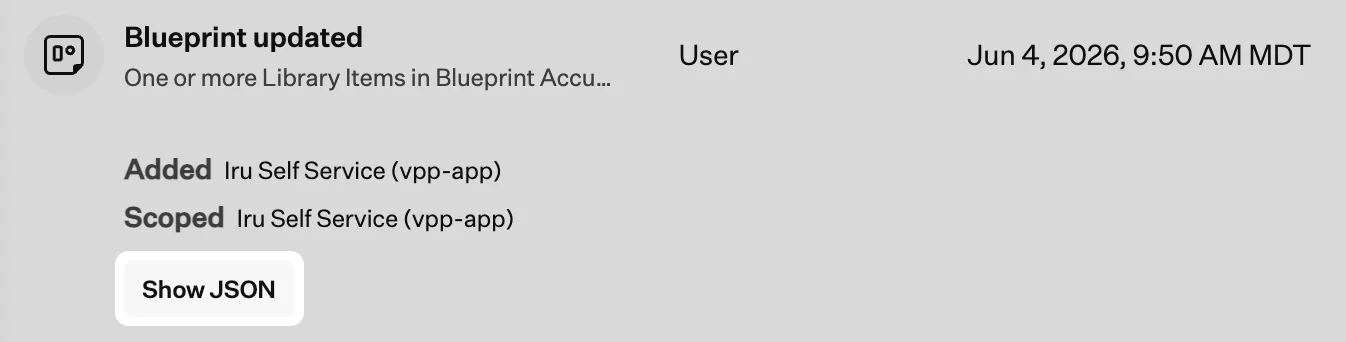 The expanded row shows every field logged for that event. Click **Show details** to return to the standard **details** view.
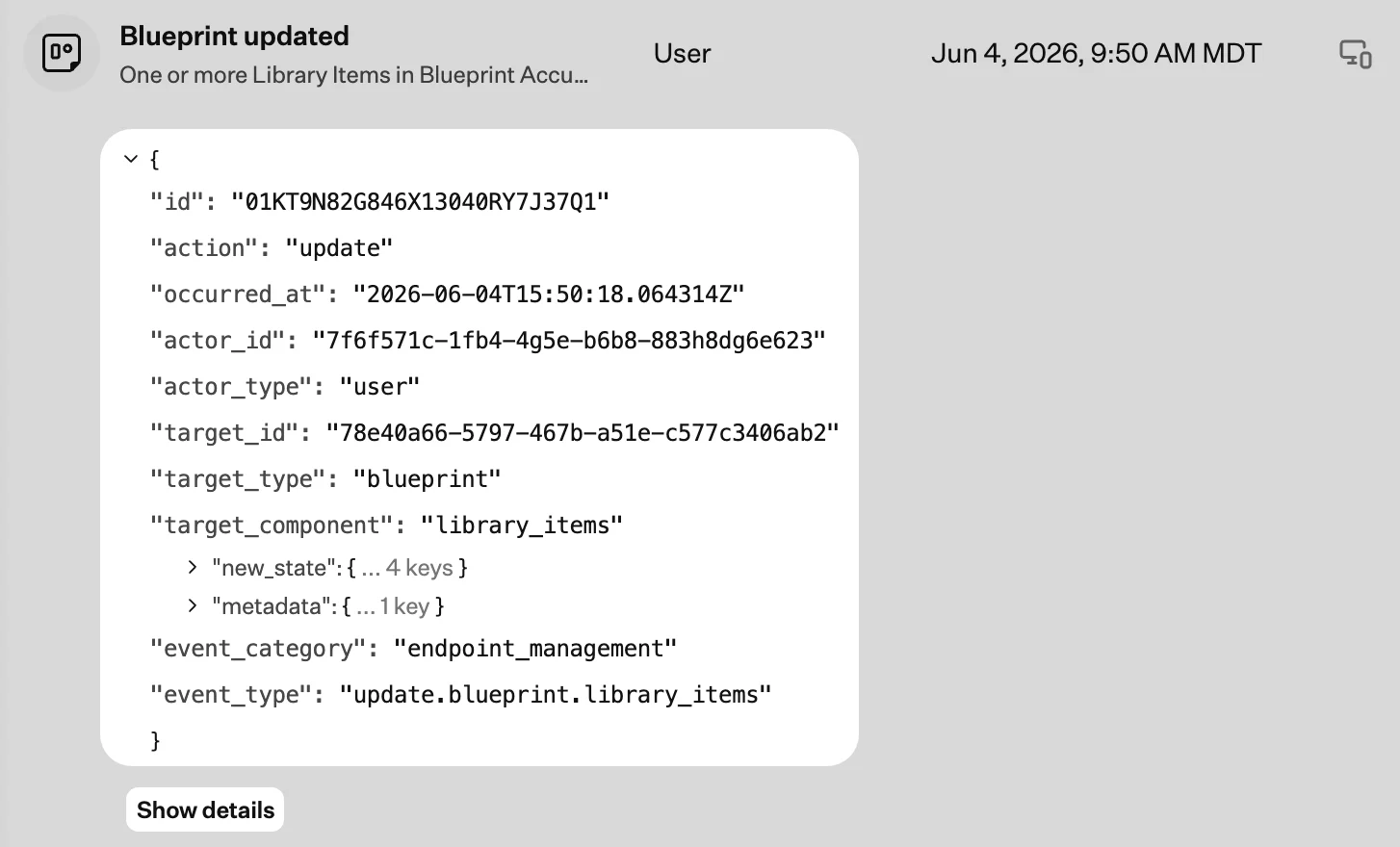 Some activity types include an **action menu** (**…**). Click it to open a related **Device** record, **Library Item**, vulnerability entry, or other page tied to that event.
 ### Search and Filter Activity
Use the search field and filters at the top of the Activity page to narrow the timeline. Search and filters work together.
Search activity descriptions and underlying event details.
Filter activity by time range:
* Last 24 hours
* Last 48 hours
* Last 7 days
* Last 30 days
* Custom date range
Filter by users who have access to your tenant. The list includes administrators and other team members. To add users, see [Invite New Team Members](/en/iru/access/invite-new-team-members).
Filter by product area:
* **System**: Tenant
* **Product**: Endpoint, Detections, Vulnerabilities, Compliance
Filter by specific event types, such as blueprint updates, device changes, detections, or compliance actions. Select multiple types to narrow the feed further.
### Considerations
* **Entity-scoped activity**: Device records, Blueprints, and Library Items include **Activity** tabs scoped to that object. Those events also appear in Unified Activity when they match your search and filters.
* **Historical Endpoint activity**: Past Endpoint activity is included in Unified Activity.
### Related Articles
Current Endpoint activity timeline, available alongside Unified Activity while it is in Preview.
Configure cross-account S3 export for the same unified tenant activity shown on this page.
### Search and Filter Activity
Use the search field and filters at the top of the Activity page to narrow the timeline. Search and filters work together.
Search activity descriptions and underlying event details.
Filter activity by time range:
* Last 24 hours
* Last 48 hours
* Last 7 days
* Last 30 days
* Custom date range
Filter by users who have access to your tenant. The list includes administrators and other team members. To add users, see [Invite New Team Members](/en/iru/access/invite-new-team-members).
Filter by product area:
* **System**: Tenant
* **Product**: Endpoint, Detections, Vulnerabilities, Compliance
Filter by specific event types, such as blueprint updates, device changes, detections, or compliance actions. Select multiple types to narrow the feed further.
### Considerations
* **Entity-scoped activity**: Device records, Blueprints, and Library Items include **Activity** tabs scoped to that object. Those events also appear in Unified Activity when they match your search and filters.
* **Historical Endpoint activity**: Past Endpoint activity is included in Unified Activity.
### Related Articles
Current Endpoint activity timeline, available alongside Unified Activity while it is in Preview.
Configure cross-account S3 export for the same unified tenant activity shown on this page.