> ## Documentation Index
> Fetch the complete documentation index at: https://docs.iru.com/llms.txt
> Use this file to discover all available pages before exploring further.
# License Limits
> Understand Iru license limits and device count thresholds. Learn how licenses are consumed, what happens when you exceed limits, and how to upgrade your plan.
### About License Limits
When your tenant is near or over its license count, Iru shows notices in the web app. You can still edit Blueprints and use the platform. This article describes those notices and where to check license usage.
For licensing questions or when you're over your limit, use the [Contact sales](/en/iru/platform-overview/billing-page#requesting-more-licenses-or-plan-changes) button in the bottom right on the [Billing Page](/en/iru/platform-overview/billing-page). For a high-level product summary, see [Iru Overview](/en/iru/platform-overview/iru-overview).
### License Count Visibility
Open the [Billing Page](/en/iru/platform-overview/billing-page) to compare licenses in use to your plan and spot when you're approaching or at a limit.
### When You're Near or Over Your Limit
**Blueprint editing**\
You can edit Blueprints at any time, even when your tenant is at or over its license count.
As of March 18, 2026, Blueprint editing is no longer locked when your tenant is at or over its license count.
**Notices**\
Iru surfaces a notice about license usage. How often it appears depends on usage:
| **Usage** | **When the notice appears** |
| --------------------------------------------- | ---------------------------------------------------------- |
| **90%** of your license count | Once when you log in |
| **100%** or over your limit | On every page load |
### Device Limit Exceeded
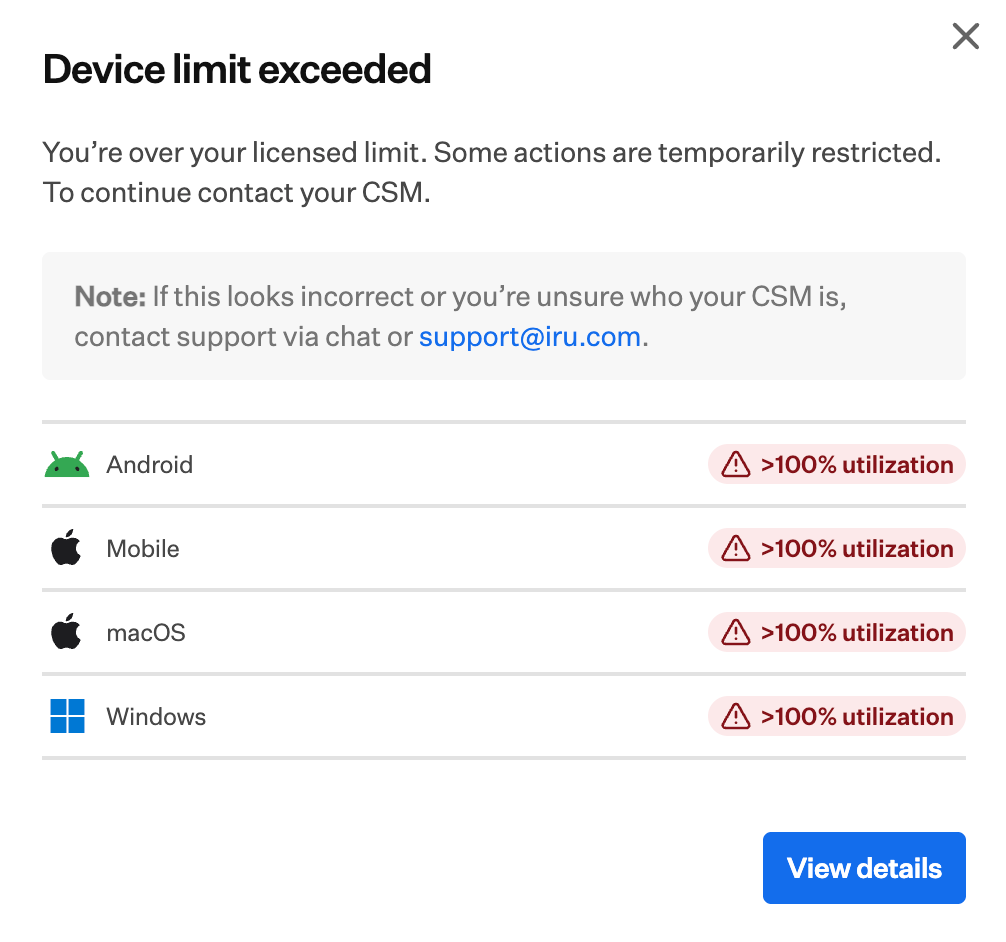
If you're over your licensed device limit, Iru may show a dialog titled **Device limit exceeded**. It says you're over your licensed limit and asks you to contact your Customer Success Manager (CSM). If the dialog looks wrong or you don't know your CSM, click **View details** to open the [Billing Page](/en/iru/platform-overview/billing-page), then **[Contact sales](/en/iru/platform-overview/billing-page#requesting-more-licenses-or-plan-changes)** in the bottom right to reach sales.
The dialog lists affected platforms, such as Android, Mobile, macOS, and Windows. Each over-capacity row shows a warning when utilization is above 100%.
 On the [Billing Page](/en/iru/platform-overview/billing-page), review limits in the **License management** table, then use **Contact sales** in the bottom right if you need to follow up.
### Share Feedback
To suggest changes to license limits or notifications, use [feature requests](/en/endpoint/settings/submit-feature-requests-and-ideas).
If you still need help, [contact Iru Support](/en/iru/iru-support/access-to-iru-support).
On the [Billing Page](/en/iru/platform-overview/billing-page), review limits in the **License management** table, then use **Contact sales** in the bottom right if you need to follow up.
### Share Feedback
To suggest changes to license limits or notifications, use [feature requests](/en/endpoint/settings/submit-feature-requests-and-ideas).
If you still need help, [contact Iru Support](/en/iru/iru-support/access-to-iru-support).