> ## Documentation Index
> Fetch the complete documentation index at: https://docs.iru.com/llms.txt
> Use this file to discover all available pages before exploring further.
# Billing Page
> Manage your Iru subscription and billing details. View invoices, update payment methods, change plans, and monitor license usage from the billing page.
### About the Billing Page
On the **Billing** page, you can review license counts, usage, and utilization by product. If you have questions about licensing or you're over your limit, use the **Contact sales** button in the bottom right to talk to sales about more licenses or your plan. For what you’ll see in the app when you’re near or over a limit, see [License Limits](/en/iru/platform-overview/license-limits).
### How to Get to the Billing Page
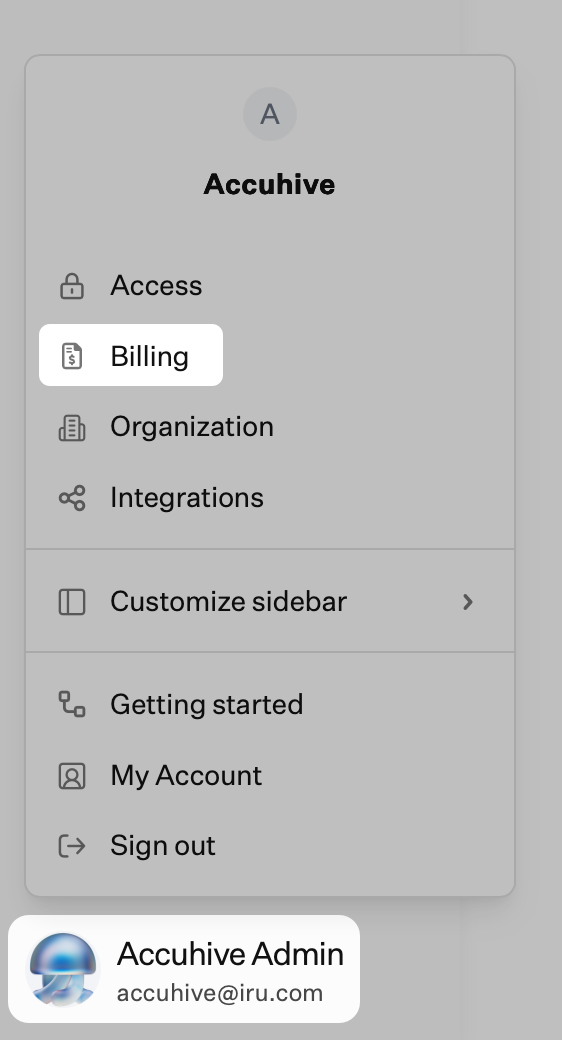
In the sidebar, click the [**Account Menu Button**](/en/iru/platform-overview/account-menu), then select **Billing**.
 ### License Management
The **License management** table has four columns:
* **Item**: The product or platform row.
* **In use**: Licenses currently in use.
* **License count**: Your limit for that row.
* **Utilization**: How much of that limit is in use, as a percentage.
Rows are grouped by category:
* **Device Management**: macOS, Windows, Android, and Mobile.
* **Endpoint Detection & Response**: EDR licenses by platform.
* **Vulnerability Management**: Vulnerability management licenses by platform.
* **Compliance**: Items such as ISO 27001, SOC 2, Trust Center, and Seats.
* **Identity**: **Monthly Active Users (MAU)** with in use, license count, and utilization.
### License Management
The **License management** table has four columns:
* **Item**: The product or platform row.
* **In use**: Licenses currently in use.
* **License count**: Your limit for that row.
* **Utilization**: How much of that limit is in use, as a percentage.
Rows are grouped by category:
* **Device Management**: macOS, Windows, Android, and Mobile.
* **Endpoint Detection & Response**: EDR licenses by platform.
* **Vulnerability Management**: Vulnerability management licenses by platform.
* **Compliance**: Items such as ISO 27001, SOC 2, Trust Center, and Seats.
* **Identity**: **Monthly Active Users (MAU)** with in use, license count, and utilization.
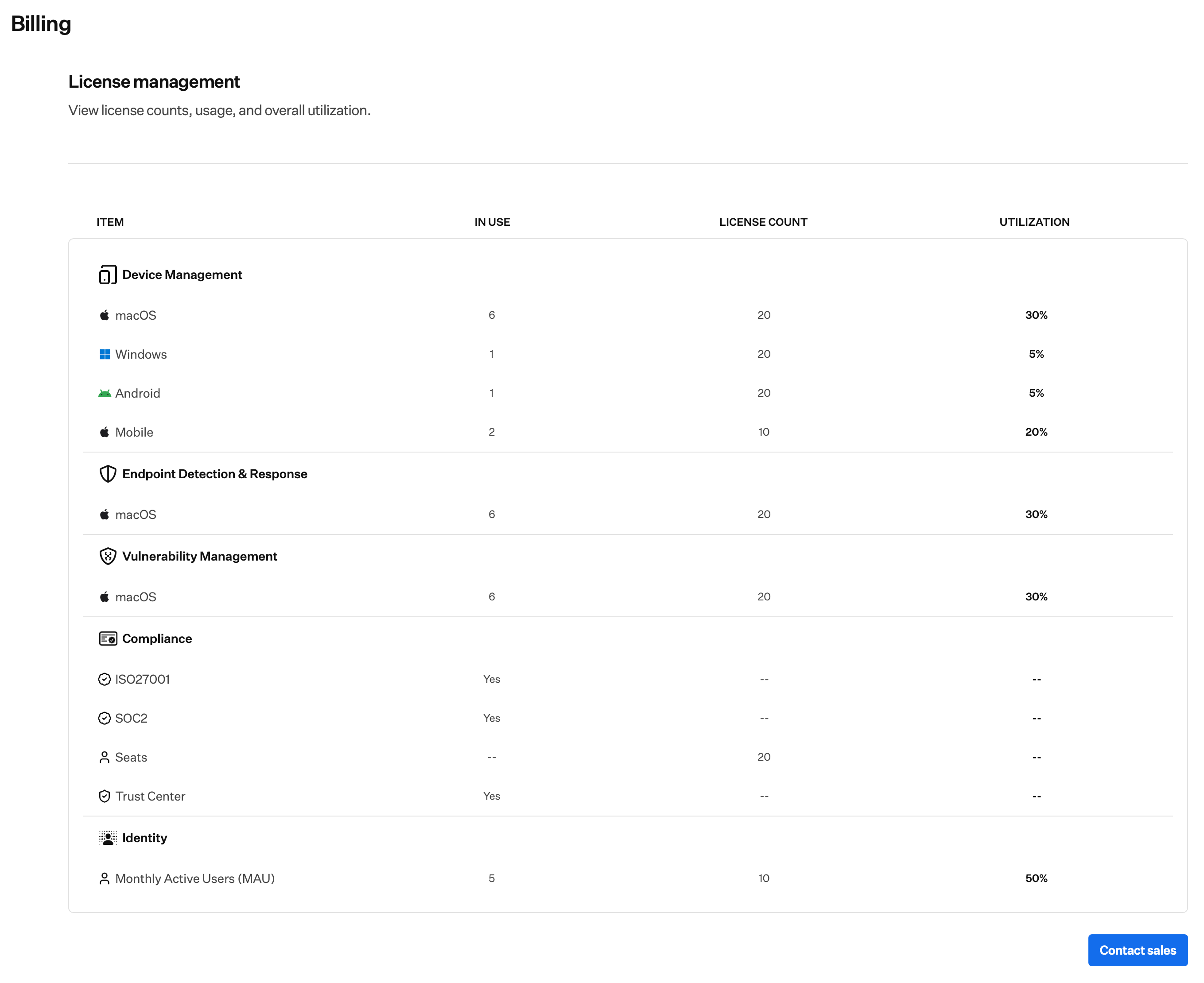 Use the table to see how close you are to your limit in each area. At 100% usage, see [License Limits](/en/iru/platform-overview/license-limits) for in-app behavior such as notices and Blueprint editing.
### Requesting More Licenses or Plan Changes
To request more licenses or change your plan, click **Contact sales** in the bottom right on the Billing page.
In the sidebar, click the **Account Menu Button**, then select **Billing**.
On the Billing page, click the blue **Contact sales** button in the bottom right.
In the Contact sales modal, select one or more products:
* **Endpoint**: Endpoint security and management for Apple, Windows, and Android devices: Endpoint Management, Endpoint Detection & Response, Vulnerability Management.
* **Identity**: Workforce identity and access management: Workforce Identity.
* **Compliance**: AI-native compliance automation: Compliance Automation, Customer Trust.
Click **Submit** to send your request. The sales team will follow up.
If you still need help, [contact Iru Support](/en/iru/iru-support/access-to-iru-support).
Use the table to see how close you are to your limit in each area. At 100% usage, see [License Limits](/en/iru/platform-overview/license-limits) for in-app behavior such as notices and Blueprint editing.
### Requesting More Licenses or Plan Changes
To request more licenses or change your plan, click **Contact sales** in the bottom right on the Billing page.
In the sidebar, click the **Account Menu Button**, then select **Billing**.
On the Billing page, click the blue **Contact sales** button in the bottom right.
In the Contact sales modal, select one or more products:
* **Endpoint**: Endpoint security and management for Apple, Windows, and Android devices: Endpoint Management, Endpoint Detection & Response, Vulnerability Management.
* **Identity**: Workforce identity and access management: Workforce Identity.
* **Compliance**: AI-native compliance automation: Compliance Automation, Customer Trust.
Click **Submit** to send your request. The sales team will follow up.
If you still need help, [contact Iru Support](/en/iru/iru-support/access-to-iru-support).