> ## Documentation Index
> Fetch the complete documentation index at: https://docs.iru.com/llms.txt
> Use this file to discover all available pages before exploring further.
# Invite New Team Members
> Invite new team members to your Iru account. Send email invitations, assign roles, and configure access permissions for administrators and collaborators.
### About Inviting Team Members
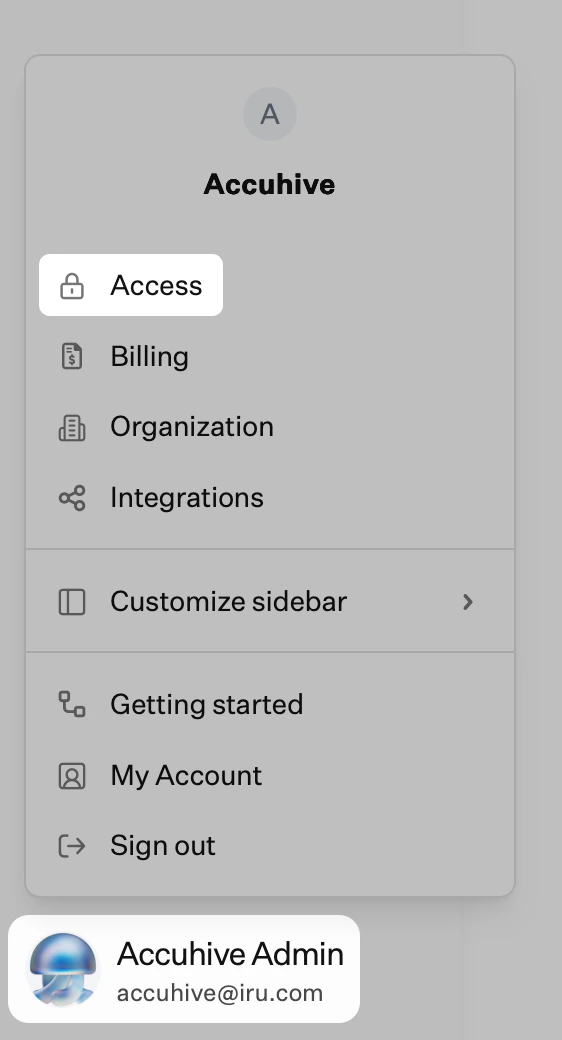
New members of the Admin Team can be invited under **Access** ([**Account Menu Button**](/en/iru/platform-overview/account-menu) → **Access**). This allows you to grant access to other administrators who can help manage your Iru environment. User creation and team member changes are recorded on the [Unified Activity](/en/iru/platform-overview/unified-activity).
Invitations expire after 24 hours. If 24 hours pass before the account is created, an existing administrator or account owner must resend the invitation from **Access** ([**Account Menu Button**](/en/iru/platform-overview/account-menu) → **Access**).
### How to Invite New Team Members
In the sidebar, click the [**Account Menu Button**](/en/iru/platform-overview/account-menu), then select **Access**.
 Click **New user** on the top right of the Access page.
Fill in the required user information fields and choose an appropriate [access level](/en/iru/access/team-member-role-permissions) for the new team member.
Click **Submit** to send the invitation.
### How to Resend Invitations
If an invitation has expired, you can resend the invitation under **Access** ([**Account Menu Button**](/en/iru/platform-overview/account-menu) → **Access**).
In the sidebar, click the **Account Menu Button**, then select **Access**.
Click **Resend invite** next to the user who needs a new invitation.
Click **New user** on the top right of the Access page.
Fill in the required user information fields and choose an appropriate [access level](/en/iru/access/team-member-role-permissions) for the new team member.
Click **Submit** to send the invitation.
### How to Resend Invitations
If an invitation has expired, you can resend the invitation under **Access** ([**Account Menu Button**](/en/iru/platform-overview/account-menu) → **Access**).
In the sidebar, click the **Account Menu Button**, then select **Access**.
Click **Resend invite** next to the user who needs a new invitation.