> ## Documentation Index
> Fetch the complete documentation index at: https://docs.iru.com/llms.txt
> Use this file to discover all available pages before exploring further.
# Deploy Homebrew Using a Custom Script
> Install Homebrew on managed Mac computers using a custom script in Iru Endpoint. Automate the package manager deployment for developer tools and utilities.
This guide applies to Mac computers
### What is Homebrew?
Homebrew is a free and open-source package management system for macOS that simplifies software installation. It has become a popular tool among developers and system administrators for its ease of use and extensive package availability.
As with all scripts, please test thoroughly before deploying to Mac computers in production.
### How Homebrew Works
Homebrew integrates into the command-line interface (CLI) and allows local administrators to install required software via the CLI. This tool is particularly useful for developers and system admins who need to install libraries and tools efficiently.
### Prerequisites
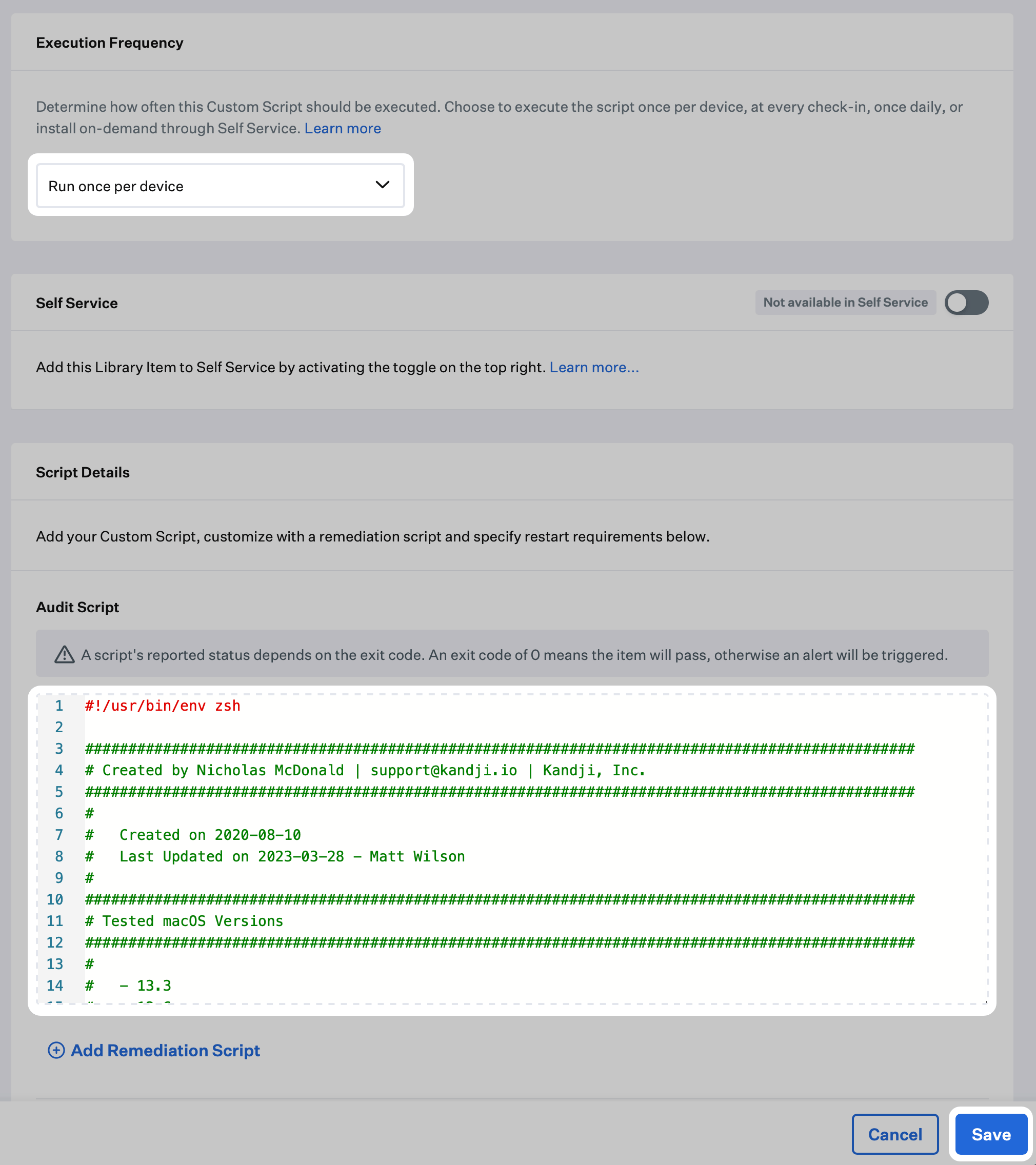
* Copy the InstallHomebrew\.zsh script from the Iru Endpoint support GitHub repository ([GitHub Link](https://github.com/kandji-inc/support/blob/main/Scripts/InstallHomebrew.zsh))
### Add a Custom Script
To add this Library Item to your Iru Endpoint Library, follow the steps outlined in the [Library Overview](/en/endpoint/library/library-items-profiles/library-overview) article.
For high-level Custom Script options such as naming the Library Item, Blueprint assignment, execution frequency, and Self Service, see [Custom Scripts Overview](/en/endpoint/library/library-items-profiles/custom-scripts-overview#add-a-custom-script-library-item).
### Configure the Homebrew script
Paste the script from the prerequisites into the **Audit Script** field.
Click **Save** in the lower right-hand corner to complete the Custom Script setup.