> ## Documentation Index
> Fetch the complete documentation index at: https://docs.iru.com/llms.txt
> Use this file to discover all available pages before exploring further.
# Duplicating a Blueprint
> Duplicate an existing Blueprint and its Assignment Map in Iru Endpoint. Copy configurations to quickly create variations for different device groups.
This guide applies to all device platforms
### About duplicating a Blueprint
Duplicating a Blueprint creates a **new** Blueprint with a copy of another Blueprint's Assignment Map layout, Library Item placements, and Parameter configuration. Devices stay on the original Blueprint until you move them.
As of April 1, 2026, all legacy Classic Blueprints were automatically converted to Assignment Maps, which are the default, improved version of Blueprints.
### How It Works
Use duplication when you need a similar Assignment Map without rebuilding nodes, rules, and Library Item assignments from scratch. After duplication, the two Blueprints are independent: edits to one do not change the other.
Library Items in the Library are **not** duplicated. The new Blueprint references the same Library Items you place on the map. Updates to a Library Item still apply everywhere that item is assigned.
### How to duplicate a Blueprint
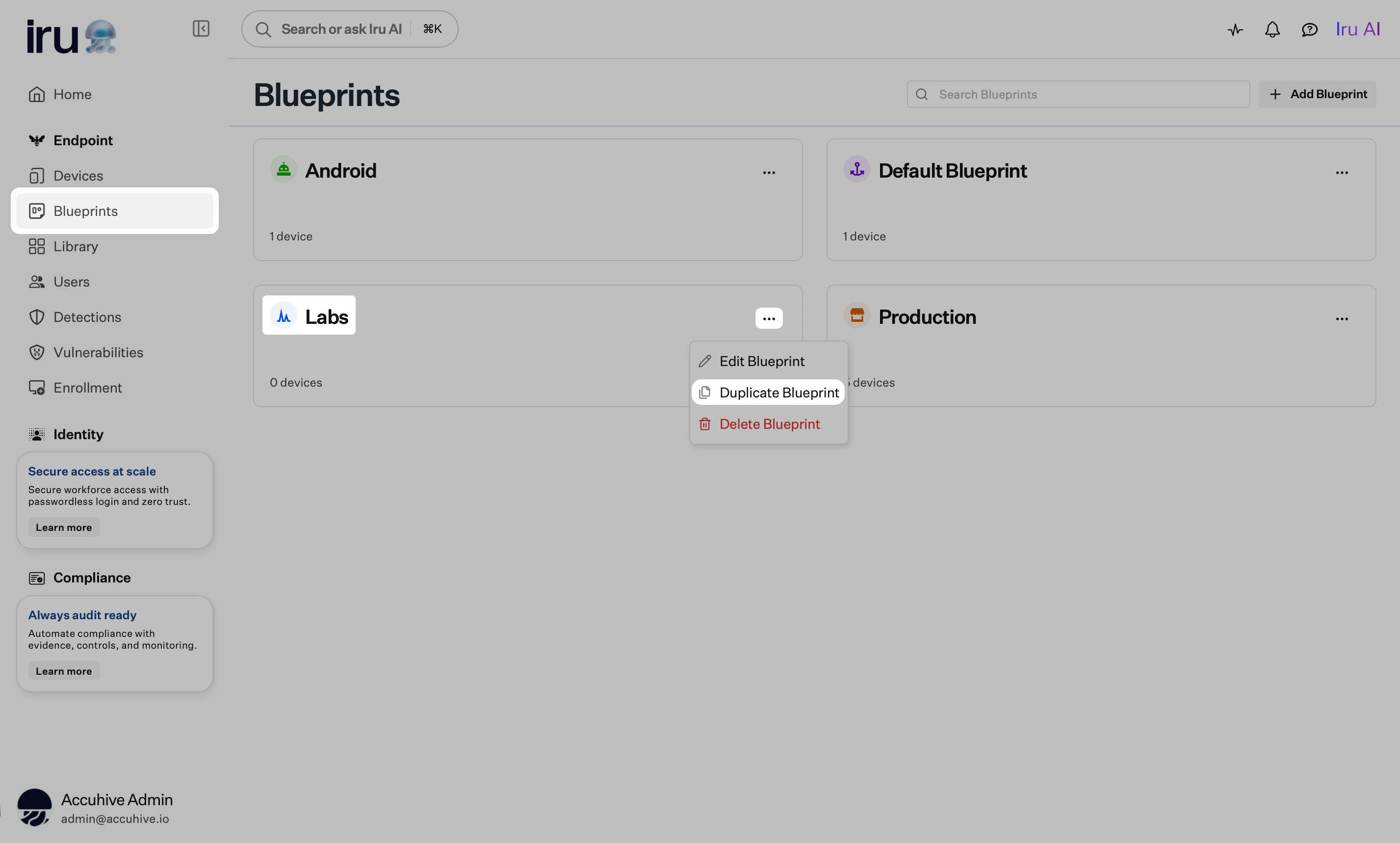
#### From a Blueprint tile on the Blueprints page
Sign in to Iru Endpoint and open **Blueprints** in the left navigation.
On the **tile** for the Blueprint you want to copy, click the **ellipsis** (**…**).
Click **Duplicate Blueprint**.
 Enter a new **name** and optional **description** for the duplicate.
Click **Duplicate**.
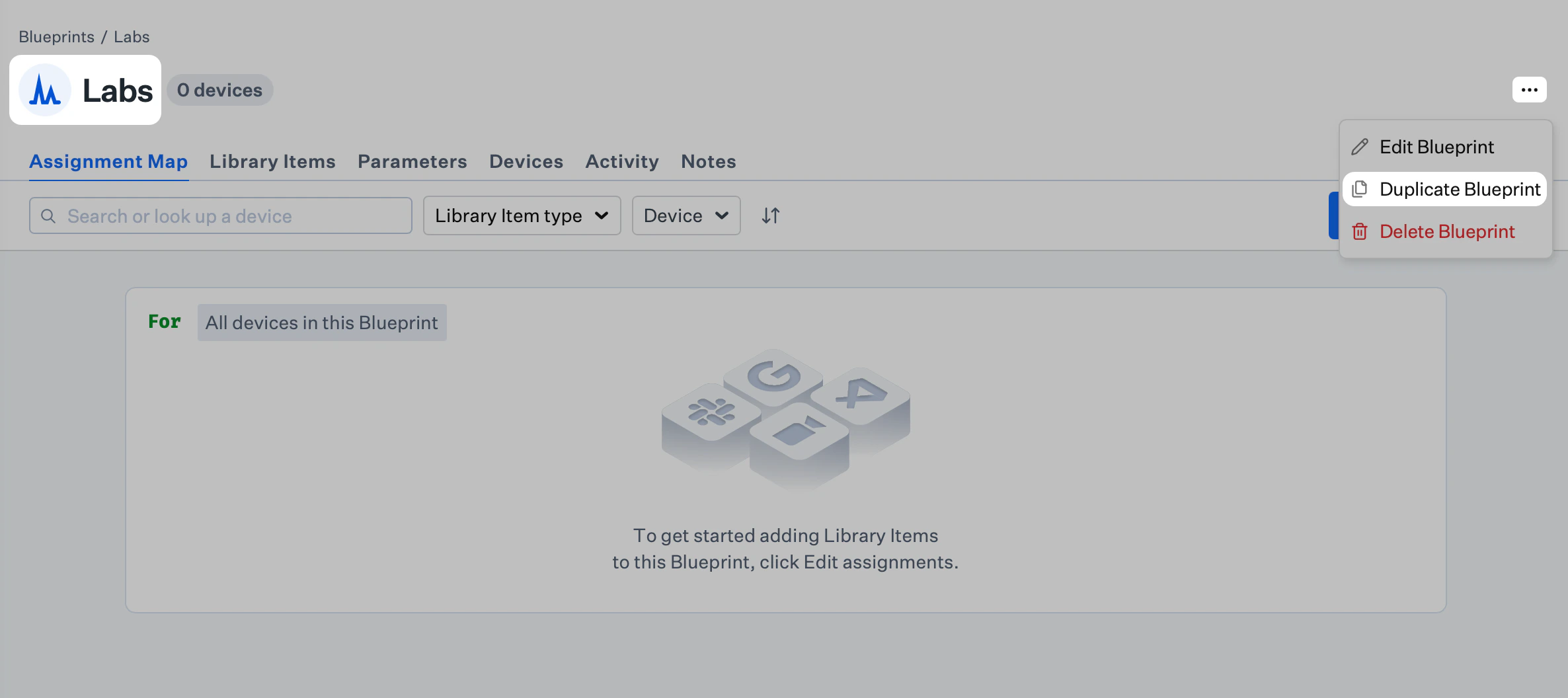
#### From the Blueprint page
Open **Blueprints** in the left navigation.
On the Blueprints page, click the **tile** for the Blueprint you want to copy.
Click the **ellipsis** (**…**) in the Blueprint header.
Click **Duplicate Blueprint**.
Enter a new **name** and optional **description** for the duplicate.
Click **Duplicate**.
#### From the Blueprint page
Open **Blueprints** in the left navigation.
On the Blueprints page, click the **tile** for the Blueprint you want to copy.
Click the **ellipsis** (**…**) in the Blueprint header.
Click **Duplicate Blueprint**.
 Enter a new **name** and optional **description** for the duplicate.
Click **Duplicate**.
### Related Articles
Create and manage Assignment Maps, Library Items, and Parameters
Getting started with Blueprints and Assignment Maps
Edit Blueprint details, assignments, and Parameters
Remove an unused Blueprint safely
Reassign devices after you create or duplicate a Blueprint
Enter a new **name** and optional **description** for the duplicate.
Click **Duplicate**.
### Related Articles
Create and manage Assignment Maps, Library Items, and Parameters
Getting started with Blueprints and Assignment Maps
Edit Blueprint details, assignments, and Parameters
Remove an unused Blueprint safely
Reassign devices after you create or duplicate a Blueprint